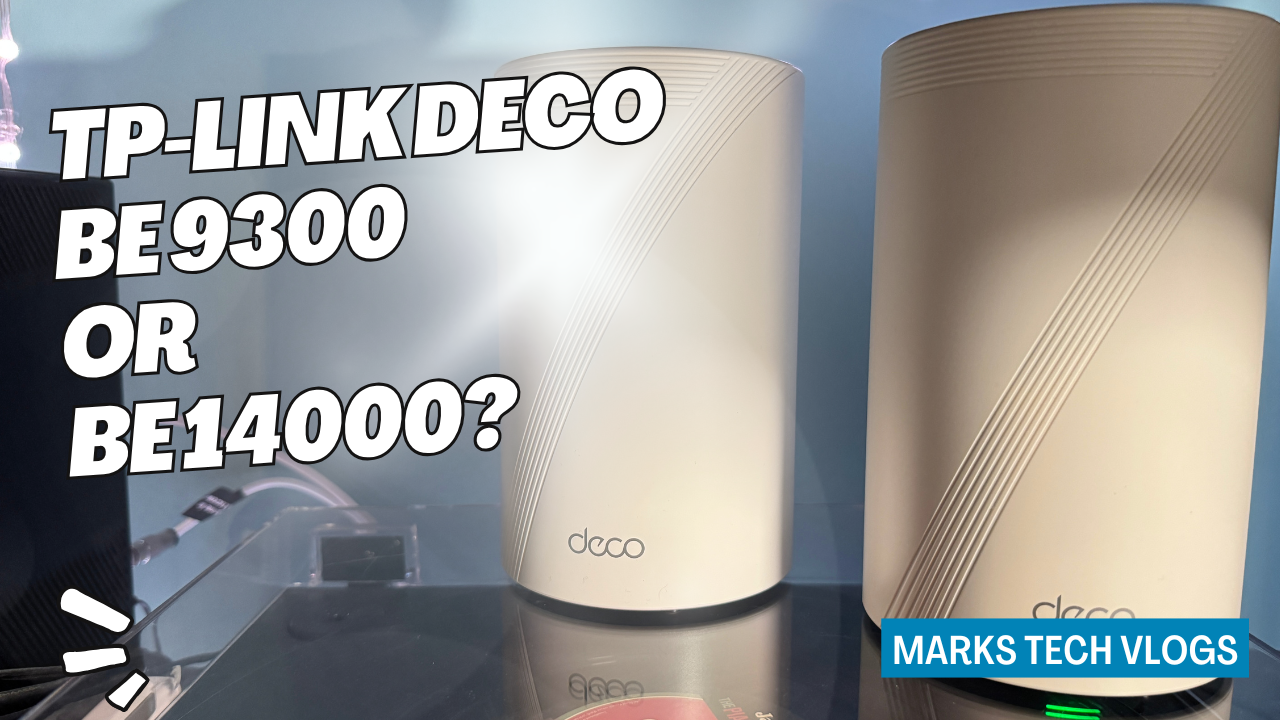
In this comparison on Mark’s Tech Blogs, I am looking at two of TP-Link’s latest Wi-Fi 7 mesh router systems: the TP-Link Deco BE9300 and the TP-Link Deco BE14000. Both aim to deliver fast, reliable whole-home Wi-Fi, but they sit at different price points and offer slightly different specs.
Prefer to watch instead of read? Watch my TP-Link Deco BE9300 and BE14000 comparison on YouTube.
About this TP-Link Deco BE9300 and BE14000 comparison
TP-Link sent me both the TP-Link Deco BE9300 mesh system and the TP-Link Deco BE14000 mesh system to review. I did not pay for these products, but this is not a sponsored review and TP-Link did not get any say in what I say about them.
I do not review routers full-time on Mark’s Tech Blogs, so I have been spreading this content out. I used the TP-Link Deco BE9300 as my main home Wi-Fi for around a month, and then switched to the TP-Link Deco BE14000, which I have also been using as my daily mesh system.
This article focuses on comparing the TP-Link Deco BE9300 and the TP-Link Deco BE14000 to help you decide which Wi-Fi 7 mesh system is right for your home.
What you get in the box
Both the TP-Link Deco BE9300 and the TP-Link Deco BE14000 are available as packs of one, two or three Deco units, depending on the size of your home and how much coverage you need.
- TP-Link Deco BE9300: ships with Deco BE65 units.
- TP-Link Deco BE14000: ships with Deco BE68 units.
In each box you will find the Deco units, their power adapters and at least one Ethernet cable so you can connect the main Deco to your modem or router.
One of the strengths of the Deco ecosystem is that the different models are generally compatible with each other. That means you can upgrade an existing TP-Link Deco setup gradually by adding a newer Deco unit and making it the main node.
There is a feature in the Deco app that lets you swap your main Deco, but when switching between the TP-Link Deco BE9300 and the TP-Link Deco BE14000 I found it more reliable to add the new unit, set it as the main Deco in the app, and then move the Ethernet cable from the old main Deco to the new one.
TP-Link Deco BE9300 vs BE14000: pricing and subscriptions
Pricing will vary depending on where you buy, but for a three-pack the RRPs and typical prices at the time of writing look roughly like this:
- TP-Link Deco BE9300: RRP around £600, often available closer to £460 on popular retailers.
- TP-Link Deco BE14000: expected around £700, and likely to drop towards the £500 mark over time.
On top of the hardware cost, there are optional subscription services that add extra security and privacy features. Both systems support the same services:
- Security+: around £4.99 per month or £35 per year, with a 30-day free trial.
- Total Security Package: around £70 for the first year (rising to about £130 per year after the first term).
Security+ adds IoT protection, web protection, intrusion prevention and more detailed security reports inside the Deco app.
The Total Security Package adds:
- Antivirus protection for Windows, macOS and Android devices.
- Unlimited VPN usage.
- Password management tools.
- ID monitoring to check if personal information appears on the dark web.
It is also worth noting that you can connect your own existing VPN service from providers like NordVPN, Surfshark, IPVanish, PureVPN or a custom VPN, directly to both the TP-Link Deco BE9300 and the TP-Link Deco BE14000.
If you already pay separately for VPN and antivirus software, there is a chance these bundles could save you money, but whether they are worth it will depend on your setup and how much value you place on the extra protection.
Overall, in terms of pricing, the TP-Link Deco BE9300 and the TP-Link Deco BE14000 are in a similar ballpark. If your budget stretches to the TP-Link Deco BE14000, it will offer a bit more future-proofing, but the TP-Link Deco BE9300 is still a very capable Wi-Fi 7 system.
Wi-Fi 7 specs and wireless performance
Both the TP-Link Deco BE9300 and the TP-Link Deco BE14000 are Wi-Fi 7-compatible tri-band mesh systems. They each offer 2.4 GHz, 5 GHz and 6 GHz bands, and you can choose to create a dedicated 6 GHz network if you want more control over how your devices connect.
Deco BE14000 wireless specs
- Tri-band Wi-Fi up to 14 Gbps.
- 8-stream Wi-Fi 7.
- Up to 8647 Mbps on 6 GHz.
- Up to 4324 Mbps on 5 GHz.
- Up to 688 Mbps on 2.4 GHz.
Deco BE9300 wireless specs
- Tri-band Wi-Fi up to 9.3 Gbps.
- Wi-Fi 7 with similar feature set, but lower peak speeds.
- Up to 5765 Mbps on 6 GHz.
- Up to 2882 Mbps on 5 GHz.
- Up to 688 Mbps on 2.4 GHz.
Both systems support key Wi-Fi 7 features such as Multi-Link Operation (MLO), 320 MHz channels on compatible bands and full backwards compatibility with older TP-Link Deco units and older Wi-Fi standards.
They are also compatible with Google Home and Amazon Alexa, can handle over 200 devices in a single network and use AI-based algorithms to help optimise roaming between Deco units as you move around your home.
Coverage
- TP-Link Deco BE9300 (three-pack): rated to cover up to around 4600 sq ft over two floors.
- TP-Link Deco BE14000 (three-pack): rated to cover up to around 8100 sq ft over three floors.
Real-world coverage will always depend on where you position the Deco units and the construction of your home (walls, insulation, floors and so on). But on paper, the TP-Link Deco BE14000 clearly targets larger homes or homes that need more headroom for high-speed devices.
If you stream a lot of high-quality video, run multiple gaming consoles or work with large files over your network, the extra throughput headroom of the TP-Link Deco BE14000 will be appealing. That said, for many households, the speeds provided by the TP-Link Deco BE9300 are more than enough.
Ports and wired connectivity
The biggest physical difference between the TP-Link Deco BE9300 and the TP-Link Deco BE14000 is in their Ethernet port configuration.
Deco BE9300 (Deco BE65 units)
- 4 × 2.5 Gbps Ethernet ports per Deco unit.
This is great if you have a lot of wired devices or smart home hubs that perform better when connected via Ethernet. For example, the Aqara M3 hub can work in LAN mode for faster, more reliable local automations, which pairs nicely with a 2.5 Gbps port.
Deco BE14000 (Deco BE68 units)
- 1 × 10 Gbps Ethernet port.
- 2 × 2.5 Gbps Ethernet ports.
The TP-Link Deco BE14000 gives you fewer ports overall, but you gain a very fast 10 Gbps port, which is useful if you have a multi-gig internet connection or want to connect to a 10 Gbps switch for high-speed local networking.
Both systems also include a USB 3 port on each unit, allowing you to plug in an external hard drive or USB stick and use it as basic network-attached storage.
Smart home and IoT features
Both the TP-Link Deco BE9300 and the TP-Link Deco BE14000 offer a dedicated Internet of Things (IoT) network mode, designed to isolate smart home devices on a separate SSID. In theory this can improve security and management, but I have not used this mode extensively because my setup includes a lot of Apple devices.
If you rely heavily on HomeKit (with iPhone, HomePod mini, Apple TV and HomeKit accessories), keeping everything on the same main network often provides the most reliable experience.
Both systems support Matter, so you can connect Matter-compatible devices directly to the router and manage them through the Deco app. In practice, many people will continue using their existing smart home hubs (such as Apple Home, Google Home, Alexa or dedicated manufacturer hubs), but it is good to know that the Deco systems are ready for the latest smart home standards.
Design and build
From the outside, the TP-Link Deco BE9300 and the TP-Link Deco BE14000 look very similar. Both follow the same Deco design language: tall, modern-looking towers that blend in fairly well on a shelf or sideboard.
The main visual differences are around the venting on the top of the Deco BE68 units used in the TP-Link Deco BE14000. Most people will not notice these small differences day-to-day, and both systems look like premium mesh routers.
Real-world performance and speed tests
Coming to the TP-Link Deco BE9300 from an older Eero system, I noticed an immediate improvement in my home Wi-Fi performance:
- Streaming video is smoother, with no buffering in the apps I use regularly.
- Downloads complete faster.
- Live video from HomeKit cameras loads more quickly and feels more responsive.
- Adding new 2.4 GHz smart home devices has been easier, without having to force the network into 2.4 GHz-only mode.
To get some more objective data, I ran several speed tests on both mesh systems on the same day:
- The built-in Deco speed test gave almost identical results for my Virgin Media fibre connection on both the TP-Link Deco BE9300 and the TP-Link Deco BE14000.
- Using a popular speed test app on my iPhone, the numbers were again very close, with the TP-Link Deco BE14000 only slightly ahead in some tests.
- I also used an online stress test to simulate multiple streams and connections, and both systems coped well, with overall performance feeling very similar.
For what I would consider an “average” but smart home-heavy user, it is genuinely hard to tell these systems apart in everyday use. Both provide fast, stable Wi-Fi 7 coverage throughout my home.
Deco app experience and parental controls
Managing both the TP-Link Deco BE9300 and the TP-Link Deco BE14000 is essentially the same experience, because they use the same Deco app and a similar minimal web interface.
The web interface is basic, but the Deco mobile app is where you will spend most of your time. It is well designed and fairly intuitive, even if you are not deeply technical.
Key features available without any subscription include:
- Renaming devices to something meaningful.
- Seeing which Deco unit each device is connected to.
- Turning mesh on or off for individual devices.
- Assigning static IP addresses.
- Connecting your existing VPN service.
If you have children, the built-in parental control features are genuinely useful. You can restrict access to certain types of websites, limit YouTube content and manage online time. These parental tools are comparable between the TP-Link Deco BE9300 and the TP-Link Deco BE14000.
TP-Link Deco BE9300 vs BE14000: which should you buy?
After using the TP-Link Deco BE9300 for a month and the TP-Link Deco BE14000 for around a week, it is difficult to find significant faults with either system. It is also surprisingly difficult to notice a big difference in real-world performance for typical home usage.
Both mesh systems:
- Run a busy smart home setup seamlessly.
- Offer plenty of Ethernet ports for wired devices and hubs.
- Are easy to manage in the Deco app.
- Support Wi-Fi 7 and advanced features like Multi-Link Operation.
So the choice really comes down to your budget and how much you want to future-proof your home network:
- If your budget allows and you want maximum headroom for faster broadband, 10 Gbps networking and larger coverage areas, the TP-Link Deco BE14000 is the best choice.
- If you want a more affordable Wi-Fi 7 mesh system that still feels very modern and powerful, the TP-Link Deco BE9300 is a great option that should not leave you feeling left behind.
Whichever system you choose, both the TP-Link Deco BE9300 and the TP-Link Deco BE14000 deliver strong Wi-Fi 7 performance, good smart home integration and a user-friendly management experience, making them excellent mesh router options for many homes.
Where to buy the TP-Link Deco BE9300 and BE14000
If you decide that one of these systems is right for your home, you can use the following phrases as link text for your preferred retailers:
Buy the TP-Link Deco BE9300 mesh Wi-Fi system
Buy the TP-Link Deco BE14000 mesh Wi-Fi system