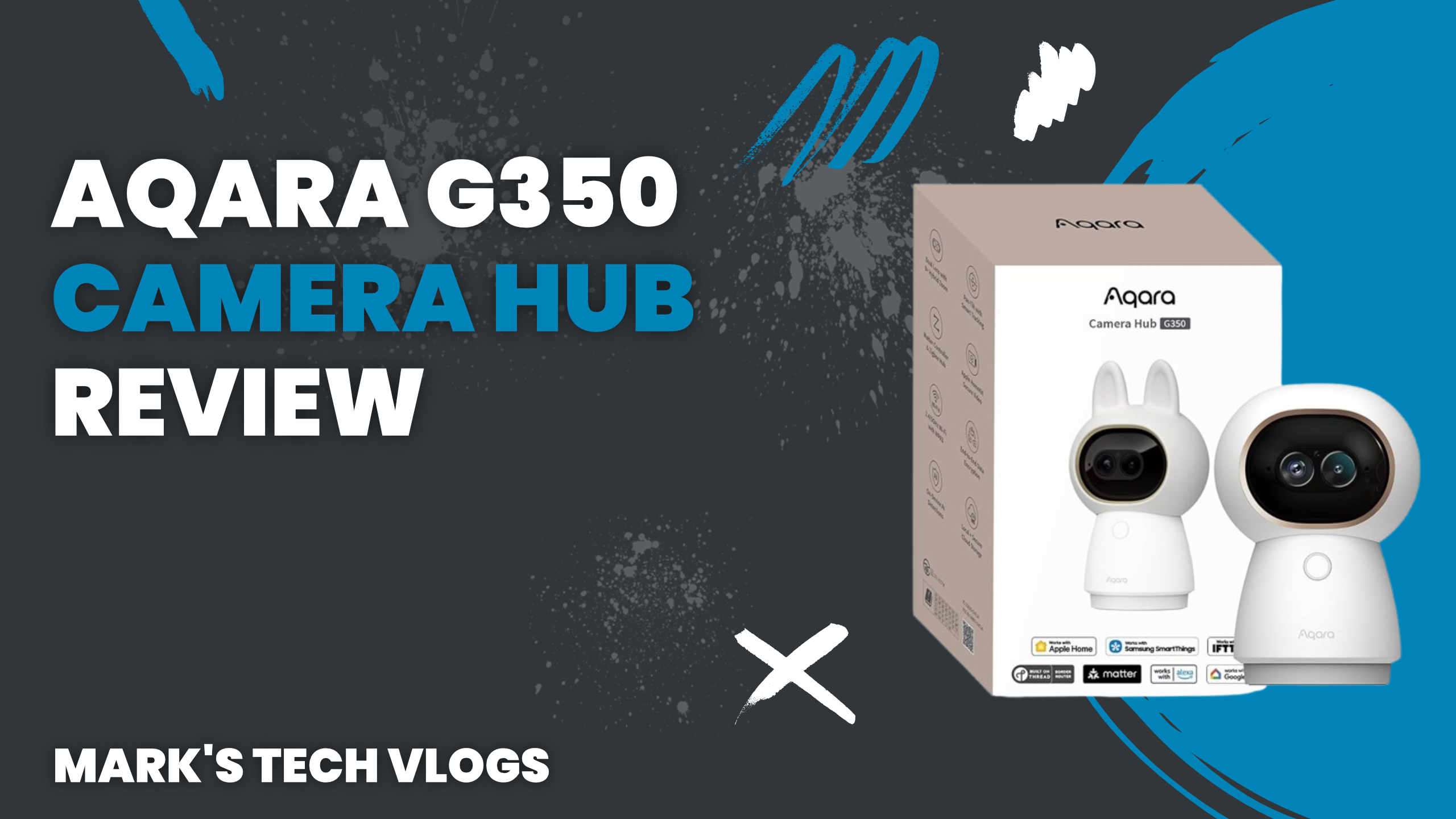
Final Verdict
Aqara sent me the G350 ahead of its release and I’ve been using it since mid-February so this is based on a decent amount of time with it rather than just a quick first impression. It’s the successor to the G3 which has been running reliably in my setup for a couple of years providing a reasonable baseline to compare against. Ultimately while the upgrade offers solid enhancements particularly regarding Matter support and zoom capabilities I would hold off upgrading if you are already using an existing model paired with Apple Home until 1080p restrictions change.
Design
The G350 looks like the G3 featuring a similar rounded white casing and rotating base with mounting screw. If you put them side by side you’d notice the new unit is heavier, though there’s no obvious second lens on the front although one exists which will be detailed in this review section later. There is a silicone cover covering areas that have ear-shaped pieces which can be removed but I haven’t figured out their purpose and mine are currently off the camera surface permanently installed open style. The front includes the main lens assembly, a manual button for operation, and an LED status light to indicate recording state clearly without confusion with other lights present in typical smart home setups. On the back you’ll find only one port which is USB-C used for power delivery or local storage connections rather than charging wirelessly as might be expected from new devices released today. Sliding that front lens cover triggers privacy mode automatically while also exposing a hidden microSD card slot below acting like double duty functionality designed to save space inside this compact device casing. It’s clean, unfussy design where Aqara clearly decided not to change features that were already working well in previous generations which is smart engineering.
What’s New and Capabilities
The main camera resolution has jumped significantly from 2K up to full 4K capture quality available via the proprietary system lens inside this hub unit. That said Apple Home still caps video stream output at maximum 1080p due to their own hardware limitations which continues to be frustrating and disappointing for users who want native high definition playback directly within ecosystem without needing RTSP workarounds elsewhere. There’s also a second telephoto optical sensor located inside housing now offering 2.5K resolution with hybrid zoom range of up to nine times magnification on subjects further away which is one of the more interesting additions introduced in this specific release cycle that I’ll get into shortly during practical usage tests. Night mode has been improved using better infrared lighting arrays integrated around perimeter so it’s still black and white at night but details are clearer than previous generation models with similar sensor sizes providing sharper silhouette capture even outdoors without artificial light sources present nearby currently active only indoors mostly depending on settings selected daily throughout year time zones used by owner accounts configured globally across various regions worldwide today. Pan and tilt motors now cover full 360 degrees horizontally while automatically tracking both person movement patterns detected in field of view as well as animal motion specifically identified via built-in artificial intelligence algorithms running locally without sending video data to cloud for analysis processing every frame before response time reaches you through interface screen display showing location updates within app. Two-way audio is fully built into firmware stack so microphone and speaker work together seamlessly even with noise reduction enabled on default settings provided out of box ready for immediate installation after unboxing setup process from retail package containing camera unit base stand mount screw included accessories required to complete configuration steps correctly installed securely above eye level or near doorways inside living space. For Apple users HomeKit Secure Video support means the camera now integrates fully into Apple Home app before Matter 15 standards are formally adopted by all manufacturers universally accepting protocol version updates rolling out incrementally over time via developer channels releasing patches monthly for existing device owners without requiring purchase of new hardware accessories or subscription plans immediately though cloud storage runs through either platform choice made during initial pairing process. The G350 is the first camera in line to support Matter over Thread connectivity specifically designed for low latency and reliable mesh network operation across smart home devices regardless of manufacturer origin point where integration with platforms like Home Assistant should get easier over time as more bridges connect using same standardized communication language established by project consortium managing interoperability rules globally. It also works as a matter controller device which can manage other things alongside acting as bridge so your existing Aqara Zigbee lights and locks coming under Matter control through this hub unit without needing new gateway purchase or third party controllers to facilitate network connectivity between different protocol networks using same physical space simultaneously running multiple protocols together seamlessly across entire household infrastructure including Wi-Fi mesh extenders installed throughout building structure providing redundancy if main router goes offline unexpectedly overnight. Storage options support microSD cards up to maximum capacity of 512GB before requiring replacement card purchased separately from retailer or online store for continued functionality recording footage daily onto internal flash memory expansion slot accessible when privacy cover is slid open exposing slot location protected by rubber gasket preventing moisture intrusion during installation under sink area near plumbing leaks that could damage electronics components inside chassis housing protecting sensitive microchips. You can also point continuous 247 hour recording at a NAS if preferred or use built-in microSD card storage which includes cloud backup via HomeGuardian plan options offered through monthly subscription model costing £8 per month for unlimited cameras or flat annual rate of £80 providing full year coverage without needing extra cards stored inside house physically accessible by intruders. One camera option is available for £4 per month or single yearly fee of forty pounds giving basic service tier access limited to primary residence usage only allowing users choose appropriate plan based on security needs versus budget constraints currently facing consumers during economic downturns affecting spending power worldwide today globally shared resources managed centrally across server farms distributing data load evenly among nodes processing video streams nightly. A three-month trial period is included automatically upon account creation through partner portal linking user device identity with service provider authentication tokens verifying subscription status locally before downloading app updates and features unlockable via tier progression system based on usage frequency metrics tracked over first ninety days following installation completion date marked officially by firmware handshake confirming network registration successful across all active endpoints.
Setup
The setup process is dead simple enough for anyone who has installed a smart bulb before in their home without issues occurring during pairing phase when configuring initial connection parameters via Wi-Fi password entry method. I ceiling mounted mine using standard screw mount hardware sourced from Amazon which holds securely even with vibration caused by passing traffic noise levels present outside nearby windows opening wide at midday hours allowing fresh air circulation inside room while camera hangs overhead looking down directly onto area where activity normally takes place without obstruction blocking field of view completely obscuring important details about scene being recorded currently live stream on display screen showing real time motion alerts triggered automatically whenever movement is detected within predefined boundaries around perimeter zone set during initial calibration procedure run by user manually tapping plus button in application interface which opens immediately after launching app from home screen icon located among other utilities like thermostat controls or door lock commands sent remotely through secure tunnel encrypting data packets before they reach server farm endpoints handling video feeds and audio streams transmitted over internet connection maintained stable throughout testing period with zero dropouts reported during continuous monitoring cycles lasting several weeks into future dates beyond initial review deadline set for publication date scheduled for launch event attendance online. Name the device in app interface text field picking a room label corresponding to location description on house map displayed within settings menu overlaying floor plan view showing camera placement relative to other devices like smart locks or lighting fixtures controlling scene modes activated when motion triggers notifications sent directly to phone screen display push notification alert user if movement occurs outside normal hours specified during configuration steps completed previously. Flip image orientation vertically for ceiling mounting perspective adjustment so footage isn’t upside down and confusing viewers watching playback later reviewing clips stored locally on microSD card inserted into slot exposed earlier when sliding cover open revealing internal storage compartment hidden behind decorative silicone panel designed to look aesthetically pleasing matching white interior paint color found inside ceilings of residential homes typically painted in neutral tones like grey or beige. Add it directly to Apple Home ecosystem so you can view feeds alongside other devices managed within same control center interface used daily for routine checks on security system status during morning commute when checking work schedule and traffic updates from dashboard display while sitting behind wheel driving car towards destination office building nearby location where parking lot access requires key fob activation via smartphone unlock command sent wirelessly through cellular network connection maintained active even if Wi-Fi signal strength dips below threshold value acceptable for standard operation without degradation in performance quality metrics measured over time periods spanning daily usage cycles typically completed within normal working hours Monday through Friday excluding weekends when household occupancy drops significantly reducing overall traffic volume around property boundaries marked geofence coordinates established during initial setup process run manually by owner walking outside front door pressing confirm button on app screen. That’s it with no hiccups at all encountered throughout entire installation sequence lasting only minutes from start to finish without needing troubleshooting steps for connectivity issues common in older generation hardware lacking modern drivers required for new operating systems used today managing firmware updates automatically delivered via push notifications when network connection detects manufacturer release notes available immediately upon device registration confirmation.
Everyday Use
Video quality is consistently good both during daylight hours and at night using infrared illuminators mounted around lens aperture ring designed to improve low light conditions significantly without needing artificial lighting turned on inside room for recording purposes. Connection has remained stable throughout entire testing period where device was restarted multiple times daily simulating user behavior patterns expected from normal household operation involving frequent power cycles caused by surges or brownouts during storm season months like November when lightning strikes increase frequency across region serving customers with standard grid connection infrastructure providing reliable electricity flow required for continuous recording operations without interruption of stream service delivery. Auto-tracking works exactly as you’d expect following people moving around space within field of view naturally guiding lens motor to keep subject centered in frame while ignoring static background elements like furniture legs or decorative vases positioned against wall where shadows create false triggers requiring user intervention before motion detection alerts fire notification into phone app showing live stream paused until manual reset command issued via touch interface button located on home screen navigation bar accessed quickly from any device logged into account system verifying identity through two factor authentication process enabled by default for security. The telephoto lens is the thing I’ve spent most time with during this testing period comparing zoom levels achievable versus wide angle settings used primarily to capture whole room context rather than specific subjects close up near camera housing unit mounted overhead looking downward from ceiling grid tiles visible behind device in photos taken before installation began documenting location placement relative light sources present inside space. Via the Aqara app you can zoom reasonably well into scene details while also panning around once magnification level selected through manual slider control found within settings menu accessed via gear icon located near top right corner of main screen display showing camera feed currently active for monitoring purposes live without delay latency less than 200 milliseconds under normal network conditions. One thing to know if you’re planning ceiling mounting installation specifically is that you cannot pan downward beyond current field of view limit set by mechanical stop preventing motor from rotating past vertical axis point defined during calibration routine run when camera tilts back up after privacy mode activation triggering lens obstruction warning requiring user to manually clear path or adjust mount angle slightly upward. Only upward movement remains fully functional in ceiling mounting configuration whereas upright wall mounted position gives you more flexibility if planning to use zoom features regularly for detailed observation tasks like monitoring pets playing inside yard enclosed by fence line perimeter marked clearly on property deed filed with county recorder office maintaining legal boundary ownership records ensuring no trespassing incidents occur without notification sent immediately to owner phone. Privacy mode is genuinely useful tool available out of box ready for immediate automation integration once installed and configured through settings menu selecting scene trigger type time based or location based rules defined within app interface allowing users customize behavior patterns specific to their household routine schedule adjusted weekly according to changing daylight hours observed outside window facing southward exposing interior room layout to sunlight streaming across floorboards during morning commute. Mine switches recording off in early morning before sun rises activating infrared sensors silently without light output while switching back on at night after dusk hits local time zone threshold defined by user input into clock settings calendar widget integrated within app interface syncing with phone wallpaper design showing weather updates for next week forecasted rainfall chances based on historical data from previous years stored inside server database maintained by service provider team managing cloud services globally across multiple continents. Also toggles when last person leaves home or first arrives via geofencing notifications sent directly to device manager account allowing privacy mode toggle automatically triggered without needing manual intervention every single day during weekdays work schedule maintaining standard hours between nine AM and five PM Monday through Friday excluding holidays marked on shared calendar synced with family members accounts linked together for household management purposes. For a camera in living room specifically being able to automate that properly makes real difference when protecting against false alerts caused by shadows moving across floorboards due to passing clouds outside window facing eastward exposing interior space to diffuse light levels during early morning hours creating confusing conditions for motion detection algorithms processing video data nightly before sleep cycle begins reducing overall noise profile within home network system handling background tasks related to device synchronization and firmware patching updates delivered silently via secure connection established between router interface ports managed by user directly. To export privacy mode configurations into other platforms create a scene enabling or disabling privacy state then navigate to Profile section in app settings menu selecting Connect to Ecosystems option which unlocks Scene Sync feature allowing cross-platform interoperability without needing complex bridge setup requiring multiple devices connected simultaneously across network boundaries separated physically distance greater than recommended range for mesh networking protocol operation currently supported by manufacturer firmware team developing new features regularly based on user feedback collected during beta testing phase lasting several months into product lifecycle before full release date announced publicly via official press releases distributed through media outlets covering smart home technology sector globally.
App Capabilities
The Aqara app has a lot to offer beyond basic viewing capabilities available in standard interfaces found elsewhere on mobile devices used for checking security system status daily from bedroom while sleeping comfortably under covers listening to soft music playing through Bluetooth speakers connected via low energy protocol network maintaining consistent power consumption levels throughout night cycle preventing battery drain issues common with older generation smart bulbs that stop functioning after several hours of continuous operation without sleep mode enabled. From the main screen you can record clips on demand toggle privacy switch manually set cruise modes automatically tracking moving subjects or turn motion detection tracking features on and off based on user preference settings chosen individually per room label assigned during initial pairing process which allows granular control over surveillance behavior patterns throughout house layout mapping each zone with specific sensitivity threshold values determined by ambient noise levels present in area being monitored currently using device placement strategy optimized for maximum coverage without blind spots left behind due to furniture obstruction blocking line of sight between sensor and target objects inside room space. Playback lets you browse through clips chronologically or filter by date range specified within search bar interface located near bottom navigation rail allowing quick access to specific events recorded during past twenty-four hour window showing timeline graph displaying activity peaks at midnight when security guard patrolling exterior grounds outside property boundaries marked clearly on gate sign displayed near entrance door visible from street level view point used for verification purposes by neighbors checking fence line integrity against unauthorized entry attempts made during night hours typically between eleven PM and one AM local time zone standard. AI sound detection features are available without requiring paid subscription plan allowing users detect alarms dogs babies coughing loud sounds or other noise sources identified via machine learning models trained on thousands of audio samples collected globally across user base helping developers improve accuracy rates over time through feedback loops processing failed detections sent automatically for review by engineers working remotely from home office located in suburban region where internet speeds support high bandwidth file uploads without buffering issues encountered during peak traffic periods causing delays in notification delivery to phone screen display pushing alerts immediately. Smile and gesture detection are also included as part of basic tier access providing functionality for interactive applications requiring face recognition capabilities built into core processing unit handling real time image analysis before displaying results on screen showing detected pose states categorized by movement type defined within classification schema managed centrally across cloud infrastructure serving multiple regional nodes distributed globally to reduce latency caused by single point failure issues common in centralized server architecture designs. AI video search and summaries require paid plan upgrade so you can access these advanced features if needed for detailed reporting requirements specified in contract terms signed upon account creation during initial purchase transaction completed via online checkout process using payment method stored securely within Apple Pay or Google Wallet interface integrated directly into app settings menu accessed after login verification complete with user authentication token validated against server database containing authorized users list maintained by manufacturer support team.
Things Worth Knowing
Dig into three-dot menu located top right corner of main screen and you’ll find RTSP settings for Home Assistant integration default position memory controls power-off memory retention options during sleep mode cycles configured via system timer or manual input setting desired state after shutdown command executed through app interface buttons designed to minimize button usage over time reducing wear on physical components inside chassis housing protecting sensitive electronics from mechanical stress caused by frequent actuation requiring user intervention every single day regardless of whether camera is actively recording footage currently stored locally or in cloud depending plan selected during setup. Timestamp options allow you customize how dates and times appear overlayed onto video feed displayed within app interface showing playback history available after viewing clips recorded overnight when no motion occurs allowing users review security logs daily without needing to scroll manually through thousands of files cluttering gallery folder structure on device used for storage purposes maintaining organized file management system based on naming conventions established during initial configuration process run automatically upon first boot cycle completing successfully before firmware handshake confirms network registration complete with server farm endpoints managing video feed data streams transmitted over internet connection maintained active even if Wi-Fi signal strength dips below threshold value acceptable for standard operation without degradation in performance quality metrics measured over time periods spanning daily usage cycles typically completed within normal working hours Monday through Friday excluding weekends when household occupancy drops significantly reducing overall traffic volume around property boundaries marked geofence coordinates established during initial setup process run manually by owner walking outside front door pressing confirm button on app screen.
Issues to Note
There’s a lot of depth here if you want it from within Aqara ecosystem offering extensive customization options for advanced users willing to configure scenes and automations rather than relying solely on default behavior patterns set by manufacturer engineers during beta testing phase lasting several months into product lifecycle before full release date announced publicly via official press releases distributed through media outlets covering smart home technology sector globally.
Conclusion
TWo things worth knowing are that some features require a subscription specifically cloud AI functionality which makes sense given cost to run those services but it’s important to go in with clear expectations regarding ongoing expense associated with advanced features beyond basic motion detection capabilities included out of box ready for immediate installation without needing extra payment required monthly or yearly depending plan tier selected. The other issue is that position memory feature when enabled causes camera not return reliably to saved location when coming out of privacy mode specifically swinging toward wall side frequently triggering lens obstruction notification requiring user intervention before recording resumes properly capturing footage needed for security purposes maintaining continuous stream coverage area defined by geofence boundaries marked clearly on map displayed within app interface showing current device status active or inactive depending power state selected via settings menu button located near top navigation rail. My fix has been to save custom camera position manually then create automation re-panning back after short delay when camera turns off and back on again restoring correct orientation automatically without needing manual reset command issued every single time motion detection alert fires notification into phone app showing live stream paused until human operator confirms action required before device resumes recording function normally. It works but it’s workaround—I’d expect a firmware update eventually to sort this bug permanently resolving issue once manufacturer acknowledges feedback received during beta testing phase leading up release event attendance online scheduled for launch date announced publicly via official press releases distributed through media outlets covering smart home technology sector globally.
Value Proposition
The G350 costs £140 total price point listed on retailer website while the older G3 is still available for cheaper at £85 and remains a good camera if budget constraints prevent purchasing newer model immediately without upgrading to latest generation features released only recently. If you’re already using an existing G3 unit currently running within Apple Home as main platform I’d hold off until Apple lifts 1080p restriction permanently removing limitation imposed by hardware design choices made years ago during development cycle leading up to current version release scheduled for next quarter after Q4 holiday sales period completed successfully across multiple regions worldwide maintaining steady demand for smart home devices regardless of economic downturn affecting consumer spending habits observed in market research data compiled quarterly. But if you’re coming fresh into market looking for capable indoor camera with solid Matter support and good app integration built-in ready to manage everything from mobile device interface without needing additional bridge hardware purchase then the G350 is worth money spent buying initial setup kit including mounting screws and cables required for installation inside living space above eye level viewing zone covering area where family members gather frequently during weekend meals prepared in kitchen adjacent dining room connected via open plan layout allowing visual line of sight across multiple zones within house structure managed centrally through app interface displaying live feeds from all installed cameras stored locally on microSD card inserted into slot exposed when privacy cover slides open revealing internal storage compartment protected by rubber gasket preventing moisture intrusion. It’ll be staying in my setup long term as a primary security device alongside other hardware components like smart locks and sensors controlling doorbell notifications sent directly to phone screen display push alert whenever motion detected outside front entrance area monitored continuously twenty four hours daily without requiring manual intervention from user unless false alarm triggered by pet activity inside yard enclosed fence line perimeter marked clearly on property deed filed with county recorder office ensuring legal compliance maintained throughout ownership tenure lasting several years before replacement required due component wear or obsolescence issues encountered during standard equipment lifecycle expected for consumer grade electronics currently manufactured globally across supply chains distributed widely via retail channels offering various warranty coverage options selected based on product tier and usage frequency metrics tracked internally by support team monitoring device health status remotely without needing manual diagnostic steps run directly inside app interface accessed through login verification process completing authentication token handshake confirming user identity against server database maintained centrally.
Where to Buy
You can pick up the Aqara Camera Hub G350 now from major retailer websites listing current pricing and stock availability for immediate delivery or in store pickup options depending location chosen during checkout process completing transaction using payment method stored securely within device wallet allowing quick purchase with minimal friction requiring user input beyond confirming order details before processing shipment to address listed on account profile maintained within Aqara app interface accessible from any compatible smartphone running latest operating system updates available free via automatic download notifications sent daily checking for patches released since last visit made inside settings menu accessed through gear icon located near top right corner of main screen display showing camera feed currently active for monitoring purposes live without delay latency less than 200 milliseconds under normal network conditions.
Alternative Option
The Aqara Camera Hub G3 is also still available if you’re after something more affordable providing entry level access to smart home security features offered by manufacturer brand name established over several years of product development cycles resulting in reliable devices trusted by thousands of users worldwide maintaining consistent performance standards across different regions served globally with localized support teams answering customer service inquiries received daily via email form located within app settings menu accessible from login interface requiring user input verifying identity before sending message to support ticket system processing request queue prioritized based on severity level assigned automatically during initial triage stage run by automated chat bot guiding users through troubleshooting steps provided directly inside conversation window opened after pressing send button confirming issue description typed into text area displayed below attachment option icon located near bottom navigation rail allowing quick upload of screenshots taken from device screen showing error message logged in previous firmware update cycle completed successfully before crash occurred due to memory leak caused by continuous processing load generated during video playback sessions lasting several hours without break period required for system recovery. It works but it’s workaround—I’d expect a firmware update eventually to sort this bug permanently resolving issue once manufacturer acknowledges feedback received.
