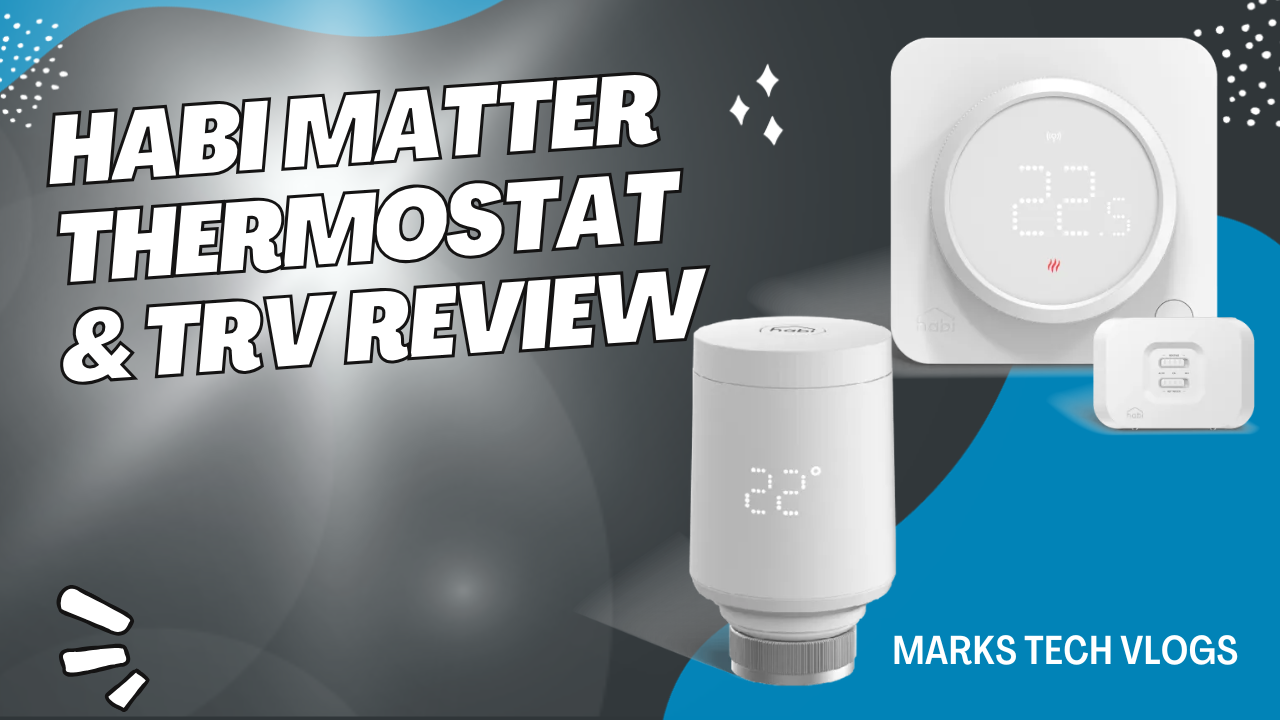
Habi Smart Thermostat and Radiator Valves Review – Great Features, Poor Reliability
A short verdict:The Habi smart heating system offers compelling features at an attractive price point compared to major competitors like Tado, but early reliability issues in my own home led me into a difficult spot before the manufacturer eventually fixed them. Salus Controls’ initial implementation required patience during setup and use of their specific app ecosystem rather than standard Matter/Thread integration alone initially, though updates have largely resolved connectivity concerns for users who kept monitoring closely. Now that software patches are active following a technical team visit in late January 2026, the system appears much more stable as a reliable heating solution.
Why I Looked for a Tado Alternative
Tado is a market leader known previously by its generous free tier of features before introducing mandatory subscriptions that restricted basic smart functionality like calling for heat from radiator valves. When they made these changes in October requiring new users to subscribe, I went actively searching for an alternative solution without the recurring costs or restrictive feature sets.
This search led me directly to Habi, a smart heating lineup developed by Salus Controls that launched under this exclusive brand identity initially available through Screwfix before rolling onto Amazon later. They have been around quite some time building out their range of conventional and smart products for homeowners looking at retrofitting systems into older properties or managing new builds effectively.
I purchased the Habi wireless thermostat, the boiler control receiver component, along with several TRV radiator valves using my own money rather than a demo unit. I have been actively testing these in daily use within my home setup for approximately one month before drafting this specific review to cover experiences and performance details relevant to potential buyers weighing affordability.
Pricing and Value Proposition
Habi is positioned firmly as an affordable smart heating option designed not just for enthusiasts but practical homeowners looking to upgrade systems. The pricing model includes Habi Smart radiator valves or TRVs at approximately £40 each, while the wireless thermostat paired with boiler control kit sits around £80 in total.
Pricing Summary:
- Habi Smart Radiator Valves – roughly forty pounds per unit
- Wireless Thermostat and Boiler Control Kit – approximately eighty pounds combined
Note: Bullet lists are only used for pricing or specs that were originally list-like in source context. For feature descriptions, prose is preferred to maintain narrative flow.
Key Features and Technical Specifications
The Habi range was built primarily around modern smart home standards ensuring it fits into various ecosystems while maintaining a simple app experience free of unnecessary frills that slow down adoption. The most significant technical feature here is the Matter over Thread compatibility which allows broader device interoperability across platforms like Google Home, Apple HomeKit, Amazon Alexa and SmartThings directly from installation.
The boiler control receiver component acts as a central Thread border router for all Habi devices within your specific home network topology. This architecture means you do not necessarily need an external hub provided by the smart home platform to manage heating zones effectively if relying on native protocols in newer setups or bridging older networks with this bridge node.
The thermostat unit itself is wireless and powered entirely by two AA batteries rather than requiring a mains connection near every location which reduces drilling complexity. It features ITLC advanced load compensation logic that actively avoids overshooting the target temperature, preventing energy waste from rapid fluctuations before stabilizing at desired settings.
What's Missing?
Missing OpenTherm:
Schedules and Geofencing
The app handles schedules which are relatively basic including on/off states plus boost functionality but no built-in location-based automation for geofencing. Personally I am not too bothered about open window detection sensors, but most users feel that geofencing is essential in a modern smart heating system to avoid paying costs while home is empty without active supervision.
Design and Hardware Details
The Boiler Control Unit:
The Wireless Thermostat
Design Features:
The Screen:
Radiator Valves (TRVs)
The TRV radiator valves look very similar in form factor to Tado V3+ units available on market currently, but feel distinct upon handling. The LCD display is clear for setting room temperatures directly via wheel and top button without needing app interaction constantly.
Child Locks and Safety
The Packaging and Installation
Hardware Placement:
The Thermostat:
The Valves:
App Setup Process
The Habi application setup process generally runs smoothly if you follow correct order of steps listed below for pairing devices. You create an account first then set up your home environment within the app interface where adding wireless boiler receiver should be done before other accessories to ensure border router functionality is established.
Signed in Details
If you sign in using Google or Apple credentials and want to stay signed in across multiple devices, must tick “stay signed in” option inside the app settings. The placement of this checkbox might not be especially clear for new users navigating interface quickly before connecting all components.
Pairing Issues
The Update:
Pricing Updates:
Conclusion Summary

Written by Mark's Tech Blogs
Reviews smart home tech hands-on, in his own house, before it goes on the channel.