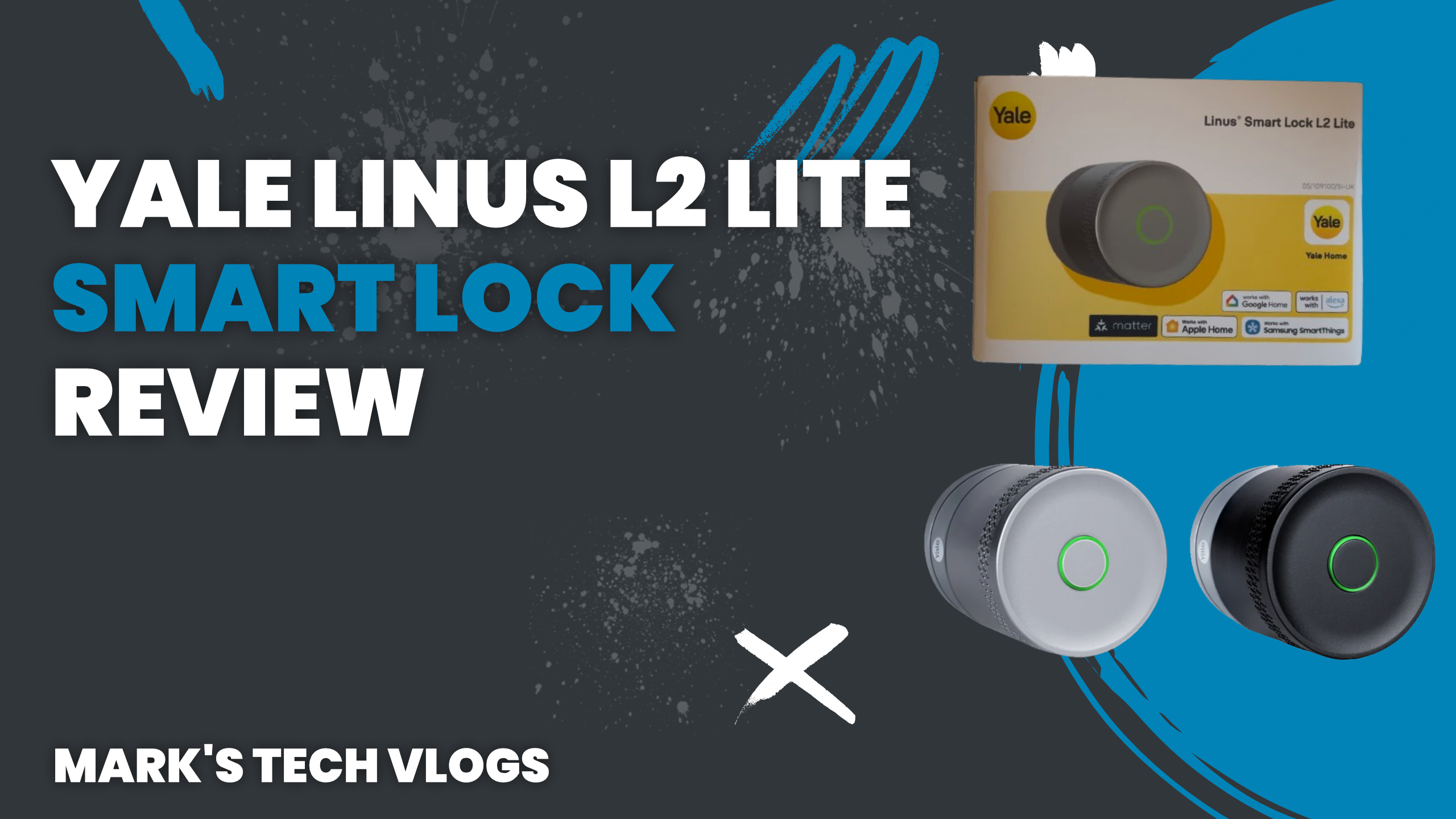
This is my full written review of the Yale Linus L2 Lite smart lock, based on a few weeks of real-world use. I’ve been pretty critical of Yale smart locks in the past, mainly because I hadn’t seen many great long-term experiences from users. But when Yale announced the Linus L2 Lite, it definitely caught my attention.
I decided to buy one myself and properly test it, and at around £130, it’s one of the cheapest Matter over Thread smart locks available for UK multi-point doors. Realistically, the only other comparable option at this price point is the Aqara U200 Lite.
So let’s get into it and see whether the Yale Linus L2 Lite smart lock is actually worth buying.
Design and Build Quality
If you’ve seen images of the Nuki Ultra, the Yale Linus L2 Lite smart lock looks like a slightly less polished version of that design. It’s available in either silver or black, and overall it looks pretty smart once installed.
The main body is essentially one large twist area, with a single button and an LED light on the front. That button is called KeySense, and it can be disabled in the Yale app, although you obviously can’t disable the manual twist function.
Compared to something like the SwitchBot Lock Ultra, the Yale Linus L2 Lite does stick out a bit more from the door, but I actually quite like the design. It feels solid, well made, and not cheap or plasticky.
Compatibility and Requirements
Before buying the Yale Linus L2 Lite smart lock, there are a few important requirements to be aware of.
- Your existing cylinder must be unlockable from the outside with a key while a key is inserted on the inside.
- If not, a thumb turn cylinder is the most affordable way to make your door compatible.
- Yale also sell an adjustable cylinder designed specifically for the Linus smart lock range.
Yale state that your cylinder must protrude at least 3mm from the inside of the door handle, and your door must open inwards. That protrusion is required for the mounting plate.
Interestingly, the box also includes a sticky mounting pad which isn’t mentioned in the instructions at all. Because of that, I think it may still be possible to install the lock even if your cylinder doesn’t protrude enough.
The box also includes a thumb turn adapter, which lets you replace an existing thumb turn with Yale’s adapter instead.
Power and Battery Life
The Yale Linus L2 Lite smart lock is powered by three CR123A batteries, which Yale claim will last up to six months depending on usage.
Battery handling is probably the biggest oversight with this lock. Not only are CR123A batteries non-standard, but there is also no way to see the battery percentage in the Yale app, and this information is not exposed to Apple Home either.
I contacted Yale about this and they confirmed that there is no battery level indicator at all. Instead, once the batteries hit around 20%, you’ll receive a push notification from the Yale app. After that, you’ll get daily reminders until the batteries are replaced.
Once you do replace the batteries, you need to open the Yale app and operate the lock three times using Bluetooth and Wi-Fi so Yale’s servers update correctly. It’s not ideal, but at least there is some form of warning.
Interestingly, when connected via Matter in Home Assistant, the lock does expose a battery property, although most users won’t be running Home Assistant.
Smart Home Features and Matter Support
The Yale Linus L2 Lite smart lock is compatible with most lift-to-lock doors, including doors with a latch feature where an additional key turn is required from the outside. I haven’t tested this myself, but Yale customer support confirmed compatibility.
The lock includes Bluetooth for local control, automatic unlocking when you arrive home, and setup through the Yale app.
The standout feature is Matter over Thread support. No external hub is required, and it works with:
- Apple Home
- Google Home
- Amazon Alexa
- SmartThings
- Home Assistant
I’ve personally tested the Yale Linus L2 Lite smart lock with Apple Home and Home Assistant, using existing Thread border routers such as HomePod mini.
If you want remote access through the Yale app itself, you will need Yale’s Wi-Fi bridge.
Yale also offer optional accessories like a keypad or a keypad with fingerprint reader. I haven’t tested these, but they are available if you want additional access methods.
Installation Experience
Installing the Yale Linus L2 Lite smart lock is refreshingly straightforward. Everything starts in the Yale app, which walks you through the entire process step by step.
If you already have a thumb turn cylinder, you simply remove the existing thumb turn, attach the Yale mounting plate, and tighten it using the included Allen key. You can also use the adhesive pad if needed.
You then install Yale’s thumb turn adapter or insert your key, clip the lock onto the mount, and run firmware updates and calibration through the app.
Calibration involves locking and unlocking the door a few times so the lock learns the correct positions. You can then add it to Apple Home or any other Matter-compatible platform.
Even while filming, I had everything installed and working in around ten minutes.
Daily Use and Performance
From inside the house, the easiest way to operate the Yale Linus L2 Lite smart lock is using the KeySense button. By default, it locks if the door is unlocked and unlocks if it’s locked.
The motor is fairly quiet, definitely quieter than the Aqara U200, although it isn’t silent and there’s no dedicated quiet or night mode.
You can also twist the lock manually, use Apple Home, or any other Matter-enabled app. From outside, locking and unlocking works reliably through the Yale app or third-party platforms.
Auto Unlock uses Bluetooth to detect when you arrive. While this is on my back door and not something I’d personally use every day, it worked reliably during testing and was faster than manually opening the app.
The Yale App Experience
The Yale app for the Linus L2 Lite smart lock is basic but functional. Without a Yale hub, most actions require a Bluetooth connection, although this doesn’t affect Matter-based platforms like Apple Home.
You can quickly lock or unlock the door, adjust LED and sound settings, configure Auto Unlock, manage KeySense behaviour, recalibrate the lock, or perform a factory reset.
For the most part, I expect most users will rely on Apple Home, Google Home, or another smart home platform rather than the Yale app itself.
Downsides to Consider
The lower price of the Yale Linus L2 Lite smart lock does mean fewer features compared to more expensive options.
- No quiet or night mode for slower, quieter locking.
- No visible battery percentage in the Yale app or Apple Home.
- Optional accessories are relatively expensive.
Battery reporting in particular feels like something that could be improved with a firmware update.
Final Verdict
At around £130, the Yale Linus L2 Lite smart lock is one of the best-value smart locks available right now. It looks good, feels well built, works reliably, and offers Matter over Thread support without requiring a hub.
If your main goal is simply to lock and unlock your door using Apple Home or another smart home app, this is a great option and very easy to recommend.
