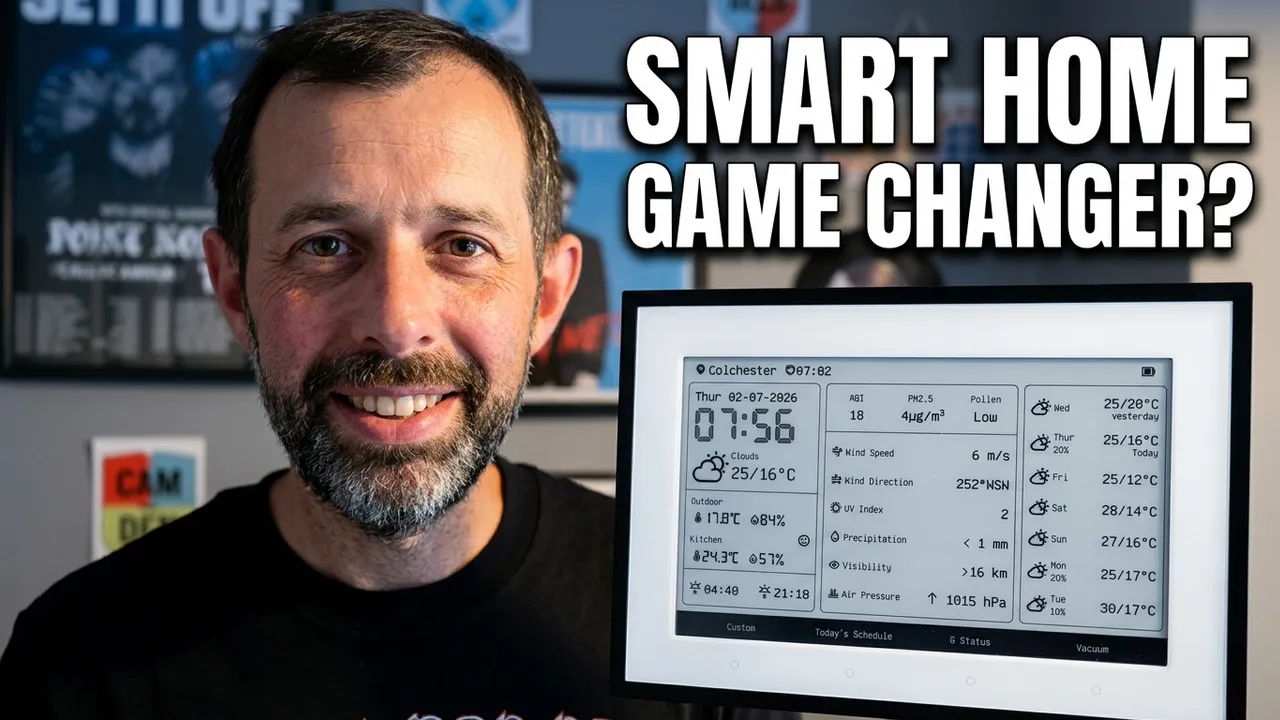
The SwitchBot E-Ink Home Dashboard is one of the most interesting smart home displays released in recent months. Originally launched as a simple weather and calendar display, a series of firmware updates has expanded its functionality considerably, transforming it into a versatile smart home dashboard with Matter integration, custom screens, calendar support, and smart home controls.
After using the SwitchBot E-Ink Home Dashboard for several weeks, I’ve found it to be a compelling addition to a smart home setup, especially considering its price point of around £87. In this review, I’ll cover the design, specifications, setup process, features, real-world usage, and whether it’s worth buying.
SwitchBot E-Ink Home Dashboard Design
The SwitchBot E-Ink Home Dashboard features a 7.5-inch E-Ink display surrounded by black bezels and housed within a clean white frame. The overall design is modern and minimalist, making it suitable for kitchens, home offices, hallways, or bedside tables.
You can either mount the display on a wall using the included adhesive mount or use the integrated kickstand for freestanding operation. I opted to mount mine on the fridge using the supplied 3M pads, which worked extremely well.
The front of the device is covered by a protective plastic layer, which helps prevent damage but can introduce some glare depending on placement and lighting conditions.
On the rear, you’ll find a USB-C charging port, and the display easily slides off its mount for charging when required.
SwitchBot E-Ink Home Dashboard Specifications
The SwitchBot E-Ink Home Dashboard packs an impressive set of features for a relatively affordable smart home display.
- 7.5-inch E-Ink display
- 5000mAh rechargeable battery
- Up to one year battery life per charge
- Integrated front light
- Built-in temperature sensor
- Built-in humidity sensor
- Two programmable buttons
- Matter compatibility via compatible SwitchBot Hub
- Support for up to five calendars
- Alarm clock functionality
- AI-generated recommendations based on weather and schedule
While E-Ink displays don’t offer the vibrant visuals of LCD screens, they excel at readability and power efficiency. Combined with the large battery, SwitchBot claims up to a year of battery life, and early indications suggest this is entirely achievable with moderate refresh settings.
SwitchBot Hub Requirements and Matter Integration
Although the SwitchBot E-Ink Home Dashboard works independently, most users will benefit from pairing it with a SwitchBot Matter Hub. These hubs start at around £50 and unlock additional functionality.
Using a compatible hub allows the dashboard’s programmable buttons and sensors to be exposed to:
- Apple Home
- Home Assistant
- Other Matter-compatible smart home platforms
This greatly expands the flexibility of the device and turns it into more than just an information display.
Calendar and Smart Home Features
The SwitchBot E-Ink Home Dashboard can synchronise up to five calendars from:
- Google Calendar
- iCloud Calendar
- Microsoft Outlook
- Yahoo Calendar
Calendar integration relies on public calendar URLs, which may require some additional configuration depending on your provider.
The dashboard can also display temperature and humidity data from other SwitchBot devices, making it useful as a central smart home information hub.
Additional features include:
- Weather forecasts
- Alarm functionality
- Daily quotes
- Countdown timers
- Environmental monitoring
- Custom dashboard screens
Setting Up the SwitchBot E-Ink Home Dashboard
Setup is straightforward.
- Charge the device via USB-C.
- Open the SwitchBot app.
- Tap the add device button.
- Select the SwitchBot E-Ink Home Dashboard.
- Follow the pairing instructions.
Pairing was quick and reliable during testing.
If you already have a SwitchBot Matter Hub, the dashboard will automatically use it for remote access. To expose the sensors and buttons via Matter, you’ll need to add the dashboard to the hub’s Matter device list.
Once added, the dashboard automatically appeared within both Apple Home and Home Assistant.
Configuring the SwitchBot E-Ink Home Dashboard
Configuration is where the experience becomes slightly more complicated.
The device settings within the SwitchBot app are divided into four sections:
- Customised Shortcuts
- Schedule
- Displayed Info
- Screen Views
Customised Shortcuts
This section assigns SwitchBot scenes to the two programmable buttons.
If you plan to use the buttons within Apple Home or Home Assistant, I recommend creating placeholder SwitchBot scenes purely to provide meaningful labels for the buttons.
Schedule
This is where calendar feeds are added and managed. Calendars can easily be enabled, disabled, and reordered.
Unfortunately, you’re limited to five calendars.
Displayed Info
This section controls:
- Location settings
- Weather data
- 24-hour clock format
- Measurement units
- Sensor update intervals
Increasing update frequency reduces battery life.
Oddly, there are no settings controlling the refresh frequency of custom dashboard screens.
Screen Views
This is the most powerful but also the most complex configuration section.
You can configure up to five screens, including:
- Weather dashboards
- Weekly schedules
- Monthly schedules
- Hourly schedules
- Daily overview screens
- Environmental monitoring
- Countdown timers
- Calendar displays
- Daily quotes
- Custom dashboards
Custom Dashboard and API Integration
The most exciting feature for advanced users is the custom dashboard functionality.
Custom screens can either display static text entered through the app or dynamic information provided through the SwitchBot API.
Using Home Assistant, I’ve created a custom REST command that automatically updates the display with the status of my SureFlap smart cat flap, allowing the dashboard to display whether the cat is currently inside or outside the house.
Other useful applications could include:
- Bin collection reminders
- Household notices
- Smart home alerts
- Energy monitoring data
- Weather warnings
- Security notifications
The main limitation is update frequency. Custom screens do not refresh instantly when new data is pushed, and there is currently no way to configure the refresh interval. This significantly reduces their usefulness for real-time information.
Custom Dashboard Builder Web Interface
One of the newest additions is the web-based dashboard editor available through SwitchBot’s online dashboard builder.
This interface allows you to create entirely custom dashboard layouts using:
- Weather widgets
- Calendar widgets
- Information panels
- Custom content areas
This feature dramatically increases the flexibility of the device and makes the main dashboard screen far more useful.
Using the SwitchBot E-Ink Home Dashboard Daily
In everyday use, the SwitchBot E-Ink Home Dashboard performs very well.
The display is clear and readable, the buttons are responsive, and the long battery life means you never really need to think about charging.
My favourite screen is the large weather dashboard, which combines forecast information with smart home sensor data.
The custom dashboard screen is also particularly useful because it continues to display the current time and weather alongside custom information.
Of the calendar views, the weekly schedule is the most practical. However, there is one major limitation.
The Biggest Missing Feature
The biggest weakness of the SwitchBot E-Ink Home Dashboard is the inability to display multiple calendars together in a single family overview.
Currently, each calendar must be viewed individually.
I worked around this limitation using Home Assistant by creating a custom combined calendar feed that:
- Merges multiple calendars
- Prefixes events with the person’s name
- Updates automatically every 15 minutes
While this workaround functions well, it feels like a feature that should be available natively.
What Could Be Improved?
Despite being an excellent product overall, there are several areas that could benefit from firmware updates:
- No combined family calendar view
- Custom dashboards do not refresh immediately
- The SwitchBot app configuration interface can be confusing
- Some advanced features require technical knowledge
Final Verdict: Is the SwitchBot E-Ink Home Dashboard Worth Buying?
The SwitchBot E-Ink Home Dashboard is a genuinely impressive smart home display.
Its combination of:
- Excellent battery life
- Matter compatibility
- Temperature and humidity monitoring
- Custom dashboards
- Calendar support
- Programmable smart home buttons
- Clear E-Ink display
makes it one of the most interesting smart home displays currently available.
It certainly has a few quirks, particularly around calendars and custom screen updates, but these are software limitations that could potentially be addressed through future firmware updates.
At around £87, the SwitchBot E-Ink Home Dashboard offers excellent value and is an easy recommendation for smart home enthusiasts, especially those already invested in Home Assistant, Apple Home, or the broader SwitchBot ecosystem.
