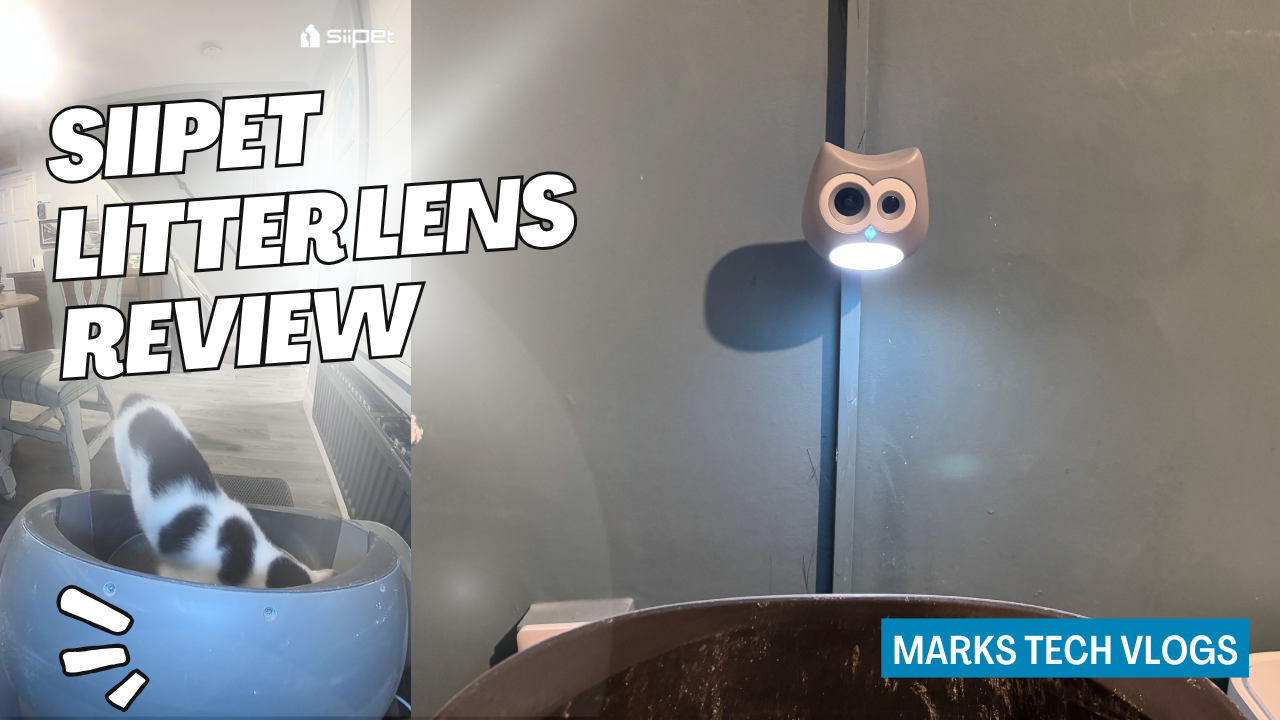
SiiPet Litter Lens Review: Smart Cat Litter Box Camera for Monitoring Your Cat’s Health
Verdict Summary:
The SiiPet Litter Lens is a surprisingly effective tool for monitoring feline health habits remotely, though it relies on an optional subscription for advanced AI features. While battery life in busy setups may fall short of advertised claims and night vision can be slightly obstructed by litter box designs, the privacy-focused recording logic remains solid.
Pricing and Subscription Plans
The hardware comes with a typical retail price around £110, though you will likely see discounts during major sales events. This upfront cost is paired with an optional subscription model that unlocks advanced health tracking capabilities over time. For those looking to understand the long-term value proposition, breaking down these tiers makes sense.
The Free Plan
This option keeps your logs stored for about three days and omits AI cat recognition entirely if you stick with this tier. You lose access to stool alerts or anomaly logging in this version, which limits what the device can tell you without paying extra.
The £5.99 per Month Tier
This plan upgrades functionality by adding multi-cat AI recognition and abnormal stool alerts alongside roughly three months of history retention. It also introduces anomaly logs to help track health issues over time, though the exact length of stored data might vary based on your usage patterns.
The £9.99 per Month Tier
Moving up here extends those features so that you get approximately 12 months of history rather than just a few months. Pricing is generally in line with similar camera and health tracking services from brands like Litter-Robot or Petkit depending on which comparison tier you are choosing to view against.
My Thoughts
I would personally love to see discounted yearly subscription options available for this device, but it is worth noting that you get a free trial period so you can test the premium features before committing financially. This allows users like myself to verify if the health tracking actually improves their peace of mind.
Battery Life and Core Connectivity Specs
The SiiPet Litter Lens is designed as a compact, battery-powered smart camera that sits above or near your cat’s litter tray without needing direct power wiring for installation. On paper, SiiPet claims around one month of battery life from a single full charge when used normally.
Real-World Usage
In my own testing environment with two cats and the camera installed in a reasonably busy area near high traffic zones, I observed closer to two weeks of battery life rather than the advertised month. That is still perfectly usable for most households requiring remote monitoring over several days without access to power outlets.
Factors Affecting Battery Duration
You should understand that how long the unit runs on a charge will depend heavily on specific environmental variables including:
- The Number of Cats You Own: More activity generates more movement detection signals.
- Litter Tray Frequency: How often they use the tray triggers motion sensors regularly.
- Human Activity Levels: The amount of foot traffic passing in front of the camera’s sensor adds to power consumption if humans are present in the frame during recording events.
Charging and Power Options
When you do need to charge it, the device uses USB-C connectivity which makes topping up much easier than proprietary pins. You can also choose to leave the SiiPet Litter Lens permanently connected to power if your setup allows for a wired run.
Ambient Lighting and Privacy Features
The camera connects to your home network via Wi-Fi, giving you remote access through the companion app when you are away from home. This connectivity supports several critical functions including:
- Motion-activated recording: Clips start automatically when movement is detected in the field of view.
- Infrared or Built-in Lighting: These features provide clear footage for low-light and night-time viewing scenarios where ambient light fails.
- AI-based Detection: Cat recognition and behaviour detection are processed via cloud services, which get enhanced further if you opt into a subscription tier rather than the free plan alone.
A nice privacy-related touch is that clips triggered by humans walking past your litter tray area are not stored automatically. This helps keep the focus on your cats’ activity records rather than storing video of everyone moving around the house unnecessarily or cluttering up storage space with human presence events.
Cat Health Tracking and AI Behaviour Recognition
The core idea behind this product is to build a clear, long-term picture of your cats’ toilet habits over time. The device can track specific patterns that might indicate underlying health issues before you notice physical symptoms appearing in the animal.
Multicat Identification Capabilities
If you subscribe for multi-cat support, the AI will attempt to recognize which cat is using the litter box each time activity occurs. However, even on standard plans, it records whether they actually used the tray or just lingered around it without depositing waste.
Lifetime Data Logging
The app logs visit times and builds up a timetable of “normal” behaviour based on historical usage data from each pet. This baseline helps identify days with unusually frequent visits, which could indicate issues such as UTIs or digestive problems before they become serious enough to warrant expensive vet care.
Detection Accuracy Over Time
To get the most accurate results initially, there is a short training period during setup. During roughly the first week of usage, you’ll need to confirm in the app which cat used the tray each time if it cannot auto-detect perfectly on its own.
In my specific experience using two cats at home for around three days of this manual correction process, the AI started recognizing our cats consistently and continued doing so thereafter without needing frequent intervention. Over time, the software builds up a baseline for each individual cat to make it easier to spot patterns later on.
- Abruptly Visiting Far More Often: May suggest discomfort or health issues like feline lower urinary tract disease.
- Lingering Behaviour: Cats lingering around the box might indicate something uncomfortable about a previous deposit they observed, suggesting constipation or other sensitive gut issues that need attention quickly if not monitored closely enough by owners checking logs daily from their phones remotely via wifi cloud services instead of just walking into home office rooms.
Anomaly Alerts and Stool Recognition
The AI can attempt to categorise what happened in each visit automatically based on shape recognition algorithms. On supported paid plans, the system also provides alerts for abnormalities detected during these visits specifically including stool-related anomalies which require immediate user attention if flagged by software logic as potentially unhealthy variations.
Design and Installation Considerations
From a design perspective, the SiiPet Litter Lens leans into its specific cat-focused purpose with quirky housing shaped to look somewhat like an animal silhouette when viewed from above. The camera lens along with sensors and lights are positioned on the front face of unit while overall aesthetic looks quite friendly compared to generic security cameras you might typically install elsewhere in home.
Aesthetic Options
The specific version I tested out was painted grey, but there is also a pink option available if that better suits your room setup or personal preference choices for how the camera blends into interior decor styles found throughout living areas where litter boxes often sit near other furniture pieces.
Mechanical Mounting System
The mounting system provided with unit offers flexible installation options depending on wall type and enclosure needs. You can attach it using a strong adhesive pad which is ideal for clean walls or the inside surface of an enclosed litter tray designed to hide hardware from casual observers walking through rooms.
Screwing Options
You might also decide to screw the mount directly onto your wall if you have drywall and anchors available rather than relying on adhesive pads over long term durability. The camera unit slides in and out of this sliding mount design, making it incredibly easy to remove from bracket for cleaning purposes or charging without taking entire tray down.
Cable Management
The base includes a channel specifically routed through the bottom housing so that you can run your USB-C cable up there if keeping device wired permanently. There is also a rubber cover located inside this port area designed to protect the connection point from dust or debris when it isn’t actively plugged into power source.
Cleaning Recommendations
The casing design allows for regular cleaning routines since unit doesn’t have exposed screws that would need removing if you want wipe-down cloth over plastic enclosure. This is important given environment device lives in close proximity to urine particles or dust settling from litter clumps inside tray area.
Certifications and Installation Tips
The app supports wireless setup via local network connection rather than requiring ethernet ports installed under floors or behind walls where cables might be hidden away permanently. For best results in your own home configuration, SiiPet recommend installing camera no higher than around 30 cm above top of litter tray so you capture a clear view directly down at area cats actually use during normal activity cycles.
Angling the View
You should angle it slightly downward to avoid glare from overhead light fixtures or capturing ceiling reflections that obscure detection. This ensures software doesn’t mistake shadows cast by furniture legs as feline movement when you’re away checking logs on mobile device during work hours.
The Setup Process Explained
Getting Started with the App
Setup is handled entirely through the SiiPet app and follows a straightforward workflow that allows beginners without technical background to get up running quickly after purchase. Download the SiiPet app on your smartphone or tablet first before connecting unit wirelessly so you can verify connection status easily.
Device Registration
You will connect device via WiFi network, which usually requires enabling Bluetooth scanning from companion software to locate local hardware automatically if it’s sitting within range. You then log in or create an account as directed by application screens guiding you through initial configuration steps including firmware updates and naming your tray location appropriately.
