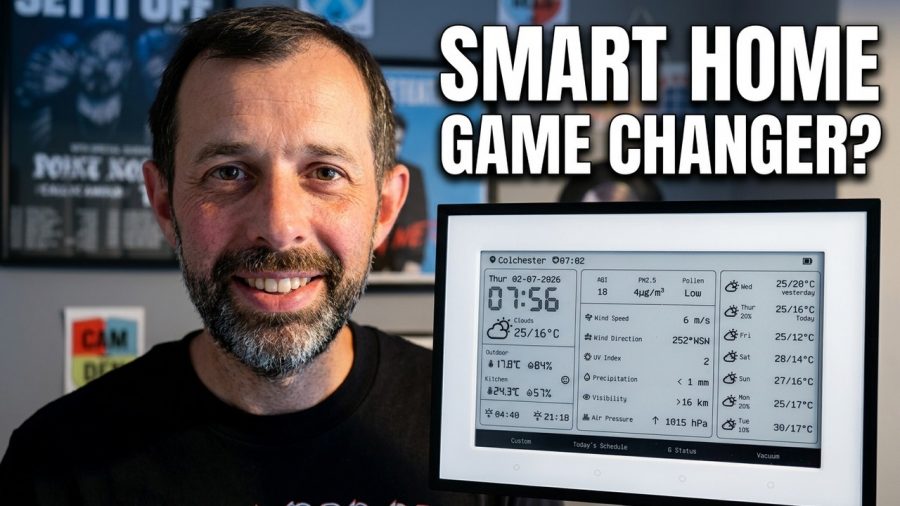
See if the SwitchBot E-Ink Home Dashboard is worth adding to your smart home setup after its latest firmware update.
Purchase Links:
Amazon: https://geni.us/2mI2kV
Switchbot: https://bit.ly/4aEbUtI (Save 10% with code: 10UPC1YC74OTNK)
Switchbot Hub: https://geni.us/zzvBBF
This video provides a practical look at the SwitchBot E-Ink Home Dashboard, a device that started as a simple weather station and has gained new functionality. If you are looking for a dedicated display to monitor your home environment or show custom messages, this overview covers exactly what the hardware can do and how the interface behaves.
We walk through the current capabilities of the SwitchBot E-Ink Home Dashboard, demonstrating how it displays weather data and custom text. You will get a clear look at the accompanying mobile app, which is essential for configuring the device. By the end of this SwitchBot review, you will understand if this smart home display fits your specific needs or if you should look for alternatives.
Whether you are already invested in the ecosystem or just browsing for a new smart home display, this breakdown highlights the real-world performance of the hardware. We examine the display clarity and the ease of use within the SwitchBot app setup process to help you make an informed decision.
Chapters
0:00 Introduction
0:28 Price
0:40 Design
01:27 Specification
03:30 Setup
04:23 Configuration, Screens and Custom Dashboards
08:24 What’s it like to use
10:26 Downsides
10:59 Verdict
Subscribe for weekly smart home gadget breakdowns, and leave a comment letting me know which device you want to see reviewed next.
Shop Tech I Recommend: https://linktr.ee/markstechvlogs
🔔 Subscribe for more smart home & tech reviews!
👍 Like & Share if you found this helpful!
https://www.youtube.com/markstechvlogs
Connect with me:
Found this helpful? Buy me a Coffee: http://buymeacoffee.com/marktiddy
Instagram: https://www.instagram.com/marktiddy
Email: [email protected]
