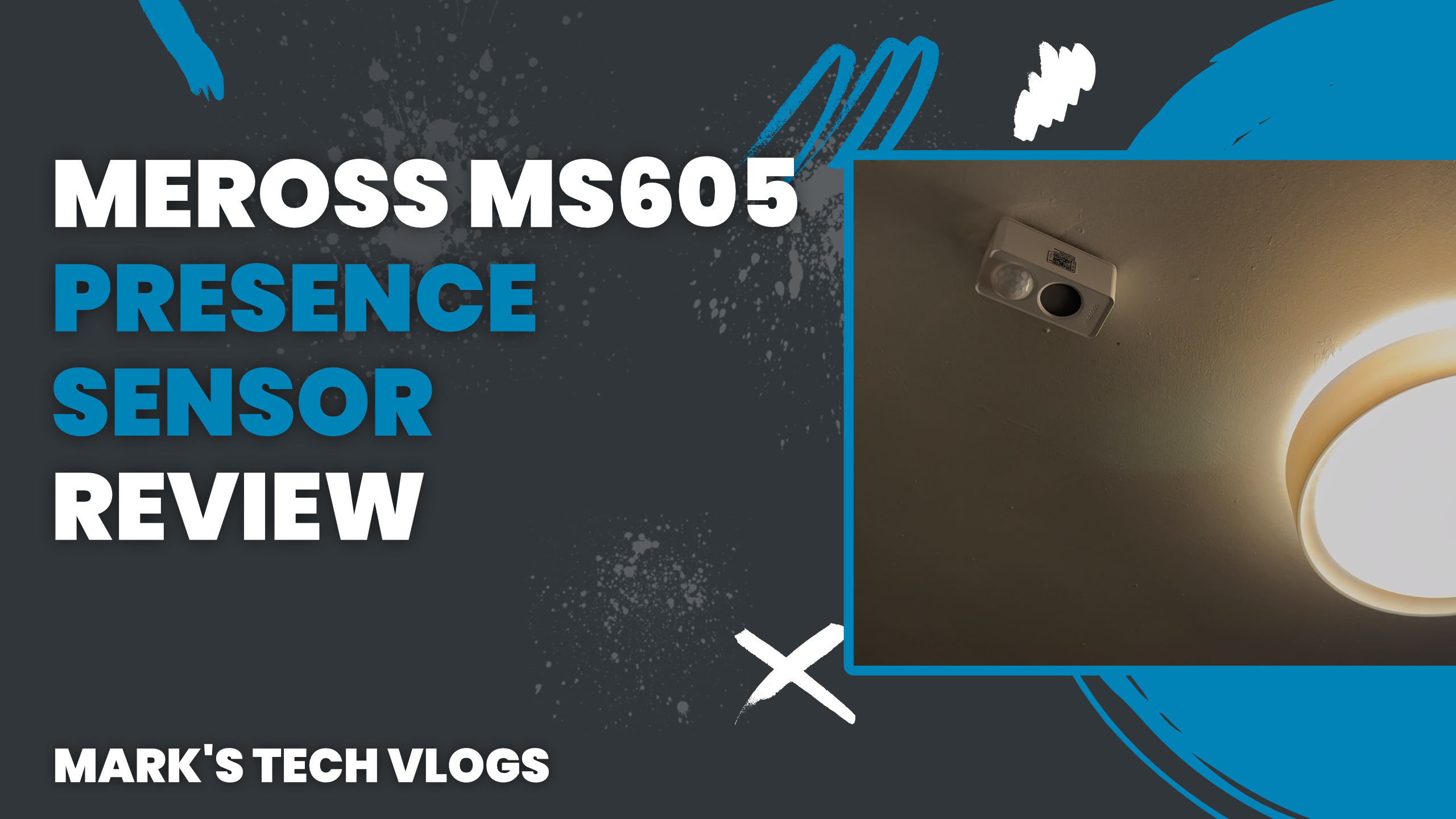
Welcome to Mark’s Tech Blogs. In this post, I’m taking a detailed look at the Meross MS605 Presence Sensor, a new battery-powered presence sensor that brings Matter over Thread support to Meross’ smart home lineup. I’ve been using the Meross MS605 Presence Sensor for around six weeks, including some time before its official release in early December, which has given me a good opportunity to see how it performs in real-world automations.
What Is the Meross MS605 Presence Sensor?
The Meross MS605 Presence Sensor is Meross’ first Matter over Thread device. It follows on from the Meross MS600, which was a wired presence sensor using Matter over Wi-Fi. Unlike its predecessor, the Meross MS605 Presence Sensor is completely battery powered, making it far easier to install in locations where running power would be impractical.
Meross provided the Meross MS605 Presence Sensor for review purposes, but this review is not sponsored. Meross had no input into the content and did not see it before publication.
One of the standout features of the Meross MS605 Presence Sensor is its price. At around £26, it is currently one of the most affordable battery-powered presence sensors available, especially when compared to other mmWave-based sensors on the market.
Key Specifications
The headline feature of the Meross MS605 Presence Sensor is that it runs on a single CR123A battery. Meross claims up to three years of battery life, and after six weeks of continuous use my unit is still reporting 100% battery.
Internally, the Meross MS605 Presence Sensor combines multiple sensing technologies:
- mmWave sensor for detecting subtle movements such as breathing
- Infrared sensor to help filter out non-heat-based motion, such as moving curtains
- Built-in light sensor to measure ambient brightness for use in automations
The Meross MS605 Presence Sensor also supports up to three configurable detection zones. These zones can be set at different distances, such as 2.4 metres and 4 metres, up to a maximum detection range of 6 metres.
Each configured zone is exposed individually to platforms like Apple Home. This allows you to trigger different automations based on how close someone is to the sensor, such as turning on a lamp at one distance and the entire room at another.
Design and Installation
In terms of design, the Meross MS605 Presence Sensor looks like a thicker version of the Meross MS600. It has a white, rounded housing with the sensors on the front, a mounting system on the back, and a physical button on the top.
The mounting system is particularly flexible. The Meross MS605 Presence Sensor features a 90-degree folding joint and a 360-degree rotatable stand, allowing it to be mounted on walls, ceilings, or in corners. A sticky mounting pad is included in the box.
I’ve installed my Meross MS605 Presence Sensor on the ceiling in my bathroom, which highlights another important feature: it is IP67 waterproof. This makes it suitable for bathrooms and other humid environments where many presence sensors would struggle.
Matter Over Thread and Smart Home Integration
The Meross MS605 Presence Sensor supports Matter over Thread, which means no proprietary Meross hub is required. As long as you already have a Thread border router in your smart home, you can add the sensor directly to your existing network.
In my setup, the Meross MS605 Presence Sensor is added to Apple Home and also appears in the Aqara app thanks to the Aqara M3 Hub. While you do need the Meross app for initial setup and advanced configuration, day-to-day use can be handled entirely within your preferred smart home platform.
The Meross MS605 Presence Sensor works with Apple Home, Alexa, Google Home, and SmartThings. One limitation to be aware of is that the light sensor data is not exposed in Alexa.
Although Meross does not explicitly advertise pet detection or AI learning, I’ve found that our cats have not triggered the Meross MS605 Presence Sensor at all during testing.
Setup Experience
Setting up the Meross MS605 Presence Sensor is straightforward. In the Meross app, you tap the add button and follow the on-screen instructions. The app guides you through pairing, installation, and an initial calibration process.
During setup, you can also add the Meross MS605 Presence Sensor to Apple Home. Once added, the three configurable zones appear as separate presence sensors. These zones can each have their own presence and absence durations, as well as individual distance thresholds.
If you don’t need all three zones, they can be disabled in the Meross app, at which point they will also disappear from Apple Home. While this is flexible, it can be slightly confusing when first adding the device, as all three zones appear by default.
Using the Meross MS605 Presence Sensor in Automations
I’ve been using the Meross MS605 Presence Sensor for around six weeks to control the lighting and extractor fan in my bathroom. Overall, it has been very reliable.
In most cases, presence is detected within a second. Occasionally, perhaps once every couple of days, there can be a slightly longer delay, but it has never been significant enough to be frustrating.
Despite being installed at the far end of my house, the Meross MS605 Presence Sensor has not gone offline once, which speaks well to the stability of Matter over Thread.
You can create automations directly in the Meross app, but these are limited to controlling Meross devices. In practice, the Meross app is best used for configuring detection zones, adjusting presence and absence timings, recalibrating the sensor, or applying firmware updates.
It’s worth noting that the Meross app communicates with the Meross MS605 Presence Sensor over Bluetooth. To change settings, you need to press the physical button on the device, which can be slightly inconvenient if it’s ceiling-mounted.
In Apple Home, the Meross MS605 Presence Sensor works well for common automations such as turning lights on when presence is detected and off when absence is detected. You can take this further by converting automations into Siri Shortcuts and checking the ambient light level so lights only turn on when needed.
Interestingly, I’ve found some of the most powerful automations using the Meross MS605 Presence Sensor are possible in the Aqara app. Because the Aqara M3 Hub supports third-party Matter devices, you can use all three detection zones as triggers within a single automation.
Aqara’s automation options also allow conditions like “if detection lasts for a certain amount of time,” which is ideal for scenarios such as running a bathroom fan only when someone is likely showering. While similar results are possible with Siri Shortcuts, it’s much easier to configure in Aqara.
Any Downsides?
There are very few downsides to the Meross MS605 Presence Sensor. The three detection zones can be confusing initially, and the need to press the physical button to adjust settings in the Meross app is slightly inconvenient.
Beyond that, it has been reliable, responsive, and easy to integrate into a Matter-based smart home.
Verdict
While I personally still prefer the Aqara FP300 due to its additional temperature and humidity sensors, the Meross MS605 Presence Sensor stands out as the most affordable battery-powered presence sensor with Matter over Thread support.
The Meross MS605 Presence Sensor is reliable, flexible, and easy to integrate into modern smart home platforms. At its price point, it represents excellent value, and it’s hard to imagine anyone being disappointed with it.
If you’re considering adding presence-based automations to your smart home, the Meross MS605 Presence Sensor is well worth a look.