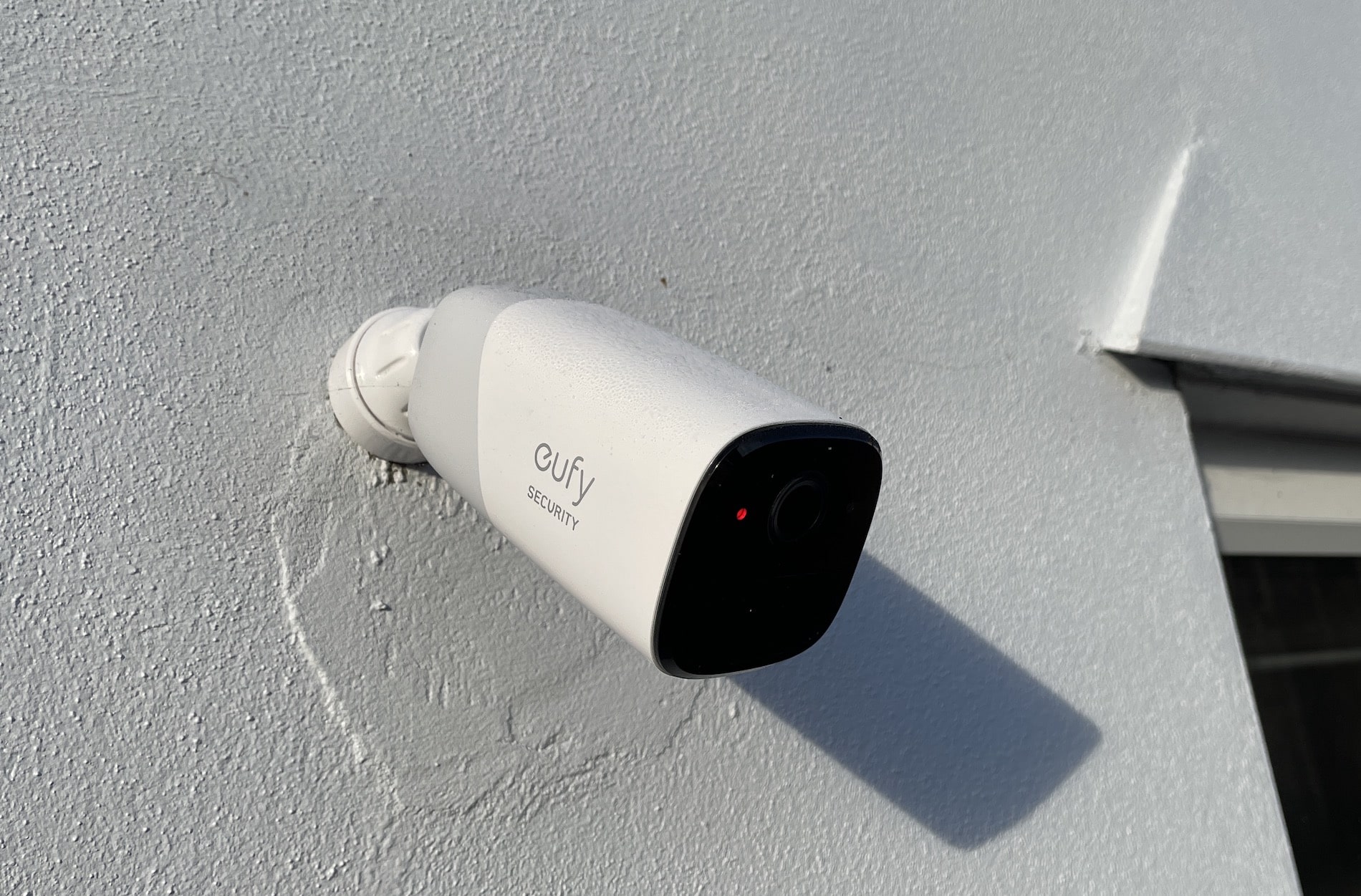
Eufycam 2 Pro Review: Our Verdict
The smart security camera market is currently packed with a huge range of products available for you to choose from in order to keep an eye on your home wherever you are, but we have put the Eufycam 2 Pro through its paces. This mid-range outdoor wireless security camera comes from Anker and this review brings you our final verdict after using it daily over a period of six months. After testing everything thoroughly, we believe there is significant value here for anyone looking to upgrade their monitoring capabilities without being tied down by subscriptions.
Camera Specifications and Video Quality
The Eufycam 2 Pro comes packed with specs that allow you a ton of options to customize your experience. While the specification sheet offers plenty, there are key headlines regarding performance which need to be known immediately; these include its impressive camera quality capabilities.
In practical testing we found it produces crisp and clear video regardless of whether it is day or night. The device supports up to 2K resolution for sharp images even in challenging lighting conditions. It also features a field of view measuring roughly 140 degrees which ensures good area coverage around the mounting point.
The audio capabilities are functional with recording quality being fine during monitoring sessions, but we must note that the built-in speaker isn’t really usable as an output device for two-way communication in practical use. Instead it is limited primarily to making a very loud alarm noise when you need it to alert intruders or passersby.
Battery Performance Analysis
Eufy claims that the camera has up to one year of battery life from a single charge, however in our usage every day for six months I found that this actually only lasted about four months. This is still really reasonable battery life which will be fine for many people who need power-free options around home perimeters.
The amount you get depends on specific settings and environmental factors such as how busy the area where you mount it gets during different times of day or night. For instance, having thumbnail notifications turned on drains things quicker than keeping them off so consider your energy efficiency priorities closely. Additionally Eufy states that using Apple’s iCloud secure video also lessens battery life significantly which is an important consideration for iPhone users.
Don’t get us wrong about the longevity concerns…four months with reasonable usage of features actually counts as great in real-world terms compared to competitors, yet boasting a full year capacity was a bit optimistic on their end based solely on our experience. You will need to plan your power cycle schedule accordingly depending on these variables.
Water Resistance and Design
The Eufycam 2 Pro is suitable for both indoor and outdoor use as it is water resistant which means the device will be fine in all weather conditions including heavy rain or humidity. You do not need to worry about exposure elements damaging internal electronics during operation.
Aesthetically, The design of the camera looks nice and modern without sticking out too much on your wall. It’s not too large but rather blends well into environments thanks to its rounded edges and grey and white sides giving it a subtle profile that doesn’t look invasive to home decor themes you want maintain.
The rear is where you find the MicroUSB port for charging which has a protective cover preventing debris buildup or accidental shorting. It mounts easily to a wall with an easy-to-fit mount included in the box so installation time remains minimal even if doing DIY without professional help available at your home.
Mobile App Functionality Experience
Once you’ve got your camera charged and installed, it’s quite simple as you simply add it to the Eufy app before tapping done. You can tweak sensitivity levels for motion detection settings along with video quality adjustments and audio output options plus notification preferences directly in this menu within the application.
This gives real control over alert frequency based on your specific lifestyle needs. Personally, I love how thumbnail notifications appear allowing you to decide if you need to do anything without even opening up the app fully first; these alerts can come through on Apple Watch as well for convenience while out and about.
The device also has an AI mode available where it will only notify you specifically if a human is detected rather than pets or wildlife. This feature was great in my garden testing because of how many cats pass by often with squirrels popping up too passing through which triggers false positives otherwise but this filter handles them automatically.
The video quality remains crisp and clear regardless of daytime brightness conditions or nighttime infrared modes would allow identification if you were to need that later on. You can download footage via the app if needed for evidence purposes in case incidents occur during a period where alarms trigger.
In terms of storage, camera has an alarm mode active which triggers sounds when someone tries removing it while alarmed is still switched on so another security bonus really helps deter tampering attempts there too.
The Eufy Security App and Storage
The Eufy Security app itself comes well designed with a layout that makes navigation easy to use even for people less tech-savvy than others. If you have multiple devices, it shows them all at once in the main screen view plus collates your events together from different sensors into one timeline feed.
I’ve found that storage on the Homebase base unit still has video files accessible back to day of arrival when I got my setup initially launched which means storage is perfectly sufficient for these two devices combined currently sending clips there every hour or so. You can also turn on Apple’s iCloud secure video within settings however this feature disables tweaking options for quality tweaks and doesn’t work alongside the Alexa skill due to conflict issues with those protocols.
I therefore decided I’ve switched it off given that trade-off limits utility rather than enhancing features as desired by many users seeking full control over their smart home integration environment. Yes, it does have an Alexa skill available for announcements on Echo devices and showing video feed there during setup or routine use so functionality exists but these settings need careful weighing before enabling.
Bought a EufyCam Pro 2? Final Thoughts
If you’re thinking about getting wireless security cameras then we think the whole range are currently best on market for reliability without subscription fees. Other competitors like Ring and Blink accumulate monthly costs which build up quickly adding to total cost of ownership over long periods whereas this option avoids those recurring charges.
The Eufycam 2 Pro is a great looking device that remains reliable under normal conditions while producing really good quality footage consistently day after night use. While battery life isn’t quite what was officially claimed, it actually has good real-world longevity with manageable recharge intervals even without subscription plans active on any service.
We offer guidance and recommendations for various smart home products here to assist in purchasing decisions if that is your goal right now so you can make an informed choice based on verified experiences rather than specs alone from marketing materials. Should you prefer seeing the device operating live, checking video reviews elsewhere helps supplement understanding beyond what text descriptions provide during a standard reading session.
If you’d like to read our full range of security and smart home coverage we recommend browsing through other articles in this collection or finding them via search tools on your browser. You can pick up an Eufy product from authorized retailers generally offering discounts that help save money on order costs if timing aligns with sales events currently running across various electronics shops online.
