
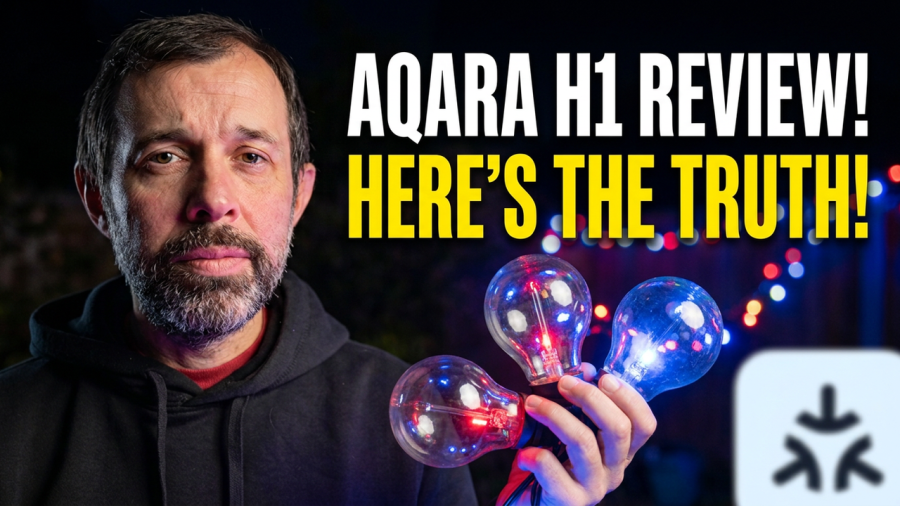
I’ve tried a few sets of solar garden lights over the years and, honestly, they’ve always been a bit rubbish. Dim, unreliable and usually dead by about 9pm in winter. So when Aqara got in touch about their new mains-powered outdoor lights, I was keen to give them a go. I’ve now been using the Aqara Outdoor String Lights H1 in my garden for a few weeks, and this is my full review.
Aqara sent these to me ahead of launch, but this is not a sponsored review and they haven’t seen it before it went live. Whether I’m sent a product or buy it myself, you’ll always get my honest opinion.
Aqara Outdoor String Lights H1 price
Let’s get the price out of the way first. There are two sizes:
- Aqara String Lights 50ft (15 bulbs): £90
- Aqara String Lights 100ft (30 bulbs): £135
That’s more than you’ll pay for something like the Govee Outdoor String Lights. The difference is that Aqara’s lights work with both Zigbee and Matter over Thread, and that matters more than you might think. I’ll come back to it in the verdict.
Specifications
The 50ft version has the model number LB-L13 and the 100ft version is LB-L14. Both come in black. Here are the key specs:
- Connectivity: Zigbee or Matter over Thread (you pick when pairing), plus Bluetooth
- Lighting: RGBIC, so multiple colours can show at once
- White range: 2000K to 9000K
- Brightness: up to 40 lumens per bulb
- Power: 8W (15 bulbs) or 15W (30 bulbs), 24V DC with a region-specific adapter
- Lifespan: around 15,000 hours
- Weather rating: IP65 for the lights and controller, IP44 for the power adapter
- Operating temperature: -20°C to 40°C
- Operating humidity: 0 to 85% (non-condensing)
- In the box: string lights, power adapter, controller and user manual
Zigbee or Matter over Thread?
This is the bit that makes these lights stand out. When you first pair them you choose how they connect.
If you go with Matter, they run over Thread. That means you need a Thread border router, which you may already have without realising. An Apple HomePod mini does the job, for example.
If you go with Zigbee, you’ll need a Zigbee hub such as the Aqara Hub M3.
Either way, you get support for a long list of platforms: Apple Home, Home Assistant, Amazon Alexa, Google Home, Samsung SmartThings and Homey. You’ll get the most control in the Aqara Home app, but the core lighting features work across the other platforms too.
Colours, effects and AI scenes
Because these are RGBIC lights, you’re not stuck with the whole string being one colour. Each group of 15 bulbs can be controlled on its own, so you can run different colours and effects along the string.
The Aqara app has plenty of built-in effects, and you can make your own. There’s also Aqara’s AI-powered Gen-Scene feature, which creates lighting scenes for you from a description. On top of that, there are a few extra smart features that are only available if you use the Aqara Home app.
Weather resistance
For outdoor lights, this is probably the spec that matters most. The bulbs and controller are IP65, so they’re protected against dust and jets of water. The adapter is only IP44, which covers splashes, so it’s worth thinking about where it’ll live. Mine actually fit inside my outdoor socket box, which I wasn’t expecting given how chunky it is.
Design
They look like a classic set of festoon-style outdoor bulbs, with an LED stick inside each one. The black cable feels really well made and doesn’t have that cheap, plasticky feel some outdoor lights do.
Installation and setup
The installation is the longest part, and how long it takes will depend on where you’re putting them. You’ve got a couple of options. You can hang the cable on hooks, or use the small notch at the top of each bulb to hook them up individually.
Cable ties are included, and that’s what I used to fix them along my garden fence. It was pretty easy, though for some reason both strands came tangled together in the box. They could probably be packaged better, but I’m also convinced cables tangle themselves when left alone, so I’ll let Aqara off.
The 100ft kit comes as two strands and Aqara advises using both. There’s a connector on the end too, so you can extend the run later if you want.
One tip: plug them in and test them before you put them up. It’s much easier to sort any problems while they’re still on the patio.
Pairing
Pairing is done in the Aqara Home app. You tap the plus button and scan the QR code on the back of the control box. This is also where you can switch between Matter and Zigbee mode.
I’ll be honest, I had some trouble here. It took a couple of resets before they finally showed up in the Aqara app. It may just have been me, but I always mention pairing issues when I hit them. Once they were in, adding them to Apple Home and Home Assistant was trouble-free.
Using the Aqara Outdoor String Lights H1
I’ve been testing them across Apple Home, Home Assistant and the Aqara app, using a mix of automations, voice control and the phone apps.
The first thing that surprised me was how bright they are. They properly light up the garden, which is something no solar set I’ve owned has ever managed. The whites can go really bright or nice and warm, and the colour effects look great.
We’ve also had a fair bit of rain since I put them up and they’ve carried on working perfectly, as you’d hope.
I’ve been keeping an eye on them with my Housecall app, which monitors the health of my Apple smart home. They’ve stayed online the whole time, which is exactly what you want from something that lives outside.
Using Aqara effects in Apple Home and Home Assistant
This is one of my favourite things about them. You can add one of the built-in effects to a scene in the Aqara app, then sync that scene over to Apple Home or Home Assistant. That means you can trigger effects from automations that use other devices, like a motion sensor in Home Assistant.
So you could have them turn on at night when a camera spots motion, or even flash a pulsing alarm effect if you wanted to. You could also expose a few different scenes and switch them automatically depending on the time of year, so the garden changes mood through the seasons without you touching anything.
There is a catch. Custom effects, whether you make them yourself or with the AI tool, can’t be added to scenes. That means they only work inside the Aqara app. The built-in effects are good enough that I haven’t missed it much, but it’s worth knowing.
There’s also a music mode, which is a nice touch for garden parties.
Pros and cons
Pros
- Really bright, with good warm whites and vibrant colours
- Choice of Zigbee or Matter over Thread
- Works with pretty much every major smart home platform
- Quick to respond
- Built-in effects can be used in Apple Home and Home Assistant automations
- Well-built, weather-resistant cable and bulbs
Cons
- More expensive than similar Wi-Fi lights
- Pairing took me a few attempts
- Custom effects can’t be added to scenes
- Strands arrived tangled
Verdict: are the Aqara Outdoor String Lights H1 worth it?
As I’ve come to expect from Aqara, this is a really high quality product and I like it a lot. The lights are bright, respond quickly and slot into whichever smart home setup you use. They’ve given my garden a lovely bit of ambience it just didn’t have before.
The only real downside is the price. They do cost more than similar options, but for me the choice between Zigbee and Matter over Thread gives them the edge over the Matter over Wi-Fi alternatives. If you want outdoor lights that behave like a proper part of your smart home, these are well worth a look.
Got any questions about them? Leave a comment below and I’ll do my best to help.
