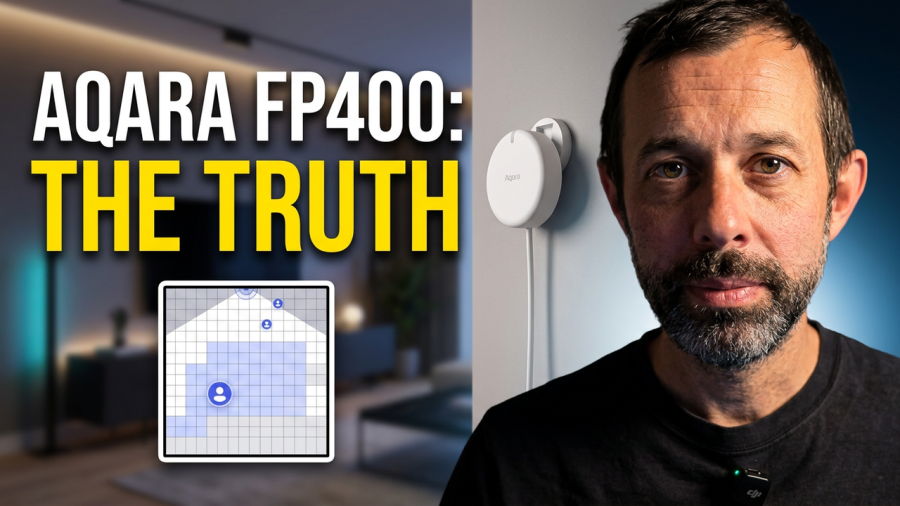
The Aqara FP400 is the follow-up to the FP2, one of the most popular presence sensors in smart homes right now, and it launches today at around £80, the same price as its predecessor. Aqara sent me one ahead of release, so I’ve had a month with it. This isn’t sponsored, and Aqara has no idea what I’m about to say, so let’s get into it.
Design
It’s a white, rounded unit with a bracket on the back for mounting or angling. In the box you get a magnetic plate, so you can stick it up or screw it in, whichever suits the wall. There’s no getting around one thing, though: this is a powered device, not a battery one, so you’re running a cable to it. If you care about a clean, cable-free install, that’s worth knowing before you buy rather than after.
Specification
Connectivity
No batteries here, just USB-C. You can run the FP400 over Matter via Thread or over Zigbee, which means it’ll work with Apple Home, Home Assistant, SmartThings, Alexa and Google Home. You’ll still want the Aqara app installed too, since that’s where the deeper settings and configuration options live.
Zigbee mode needs an Aqara Hub, something like the Aqara Hub M3. Add the FP400 to a Matter over Thread platform instead and you only get a single presence sensor exposed, with none of the zone data. Realistically, you get far more out of this device running Zigbee through an Aqara Hub, and since those hubs start at around £30, I’d just budget for one.
Sensing
Inside is a 60GHz mmWave radar that Aqara says can track up to 10 people in real time, using AI processing to work out where everyone is. Aqara rates it for rooms up to 10m by 8m. That real-time position data is what lets you build zones and trigger automations based on where people actually are in a room, not just whether someone is present.
There’s also a built-in light sensor that reports the lux level in the room, which turns out to be more useful than it sounds.
Mounting and coverage
You can mount it on a wall or a ceiling, and it covers 120 degrees horizontally and 100 degrees vertically. That’s a decent spread, but it does mean you need to think about placement rather than just sticking it wherever’s convenient.
Zones and detection settings
In the Aqara app you can draw boundaries, mark interference zones, and set entrances and exits. There’s also AI enhanced person detection, which is Aqara’s way of telling a human apart from a pet, and in my testing it’s been reliably good at ignoring the cat.
The missing feature
If you followed the FP400 since it was first announced, there’s something to flag. Aqara originally talked about posture detection, the ability to tell if you’re lying down. I actually set this unit up in my bedroom specifically to test that. It isn’t in the shipping product. Aqara told me they pulled it to focus on making the core presence detection as solid as possible. If you saw the early previews and were expecting it, it’s not there.
Installation and setup
Pair it in the Aqara app before you mount it, since the app walks you through the physical install too. One practical tip: check your USB-C cable is actually long enough before you commit to a spot. If your plug socket isn’t directly under where you want to mount it, you’ll need a longer cable than the one in the box. I did.
- Open the Aqara app, hit the plus button, and let it find the FP400.
- Choose between Zigbee and Matter. I’d go Zigbee through an Aqara Hub if you have one, since it unlocks zones in third party apps like Apple Home and Home Assistant.
- Let the app talk you through configuration, which includes scanning your empty room and setting boundaries.
- Build your zones. The FP400 supports up to 8, and it’ll count total people in the room, though not per zone.
- To connect to Apple Home or Home Assistant, use the Matter option in settings, or if your Aqara Hub is already linked to that platform, it’ll be added automatically.
Pairing itself is straightforward. The bit worth planning ahead for is the cable.
Using it day to day
I’ve had it running in the bedroom with two zones set up, added into both Home Assistant and Apple Home. One tip if you’re doing the same: name the main sensor in your third party apps before you start adding zones, because zones get exposed automatically and it gets confusing fast if you haven’t labelled things first. There’s also a setting to sync zone names across to Apple Home, which saves you doing it twice.
The main use case is automating lighting or fans based on where people are and whether they’re actually present. You can tune the absence confirmation period and the sensitivity in the app, so there’s real scope to tighten this up rather than living with false triggers.
The Aqara app has by far the widest range of automation triggers: number of people in a room, someone approaching, someone staying still for a long time, and a handful of others. Third party apps are more limited, generally offering presence started, presence ended, and a “presence ended for X time” option in Home Assistant.
Aqara also supports something called Signals for Home Assistant, which lets you turn a virtual switch on or off based on sensor status. You could, for example, have a switch that’s on whenever two people are in the room. It’s a neat bit of flexibility and it’s held up reliably in my testing.
The light sensor pulls its weight too. Motion detected plus the room being dark is a simple combination to set up in the Aqara app or Home Assistant. Apple Home is more roundabout: you set your automation trigger as presence detected, then convert the action to a Siri Shortcut so you can add the extra light level check.
After a few weeks of daily use, accuracy has been solid, and the person versus pet detection genuinely works. The stillness detection, useful for knowing if someone’s asleep or just sat reading, has also held up well. Between that reliability, which is a step up from the FP2, and the new automation options around stillness and headcount, this feels like a proper upgrade rather than a refresh with a new number on the box.
Downsides
Two things stand out. It’s a pricier device, though the RRP does match the FP2, which is now regularly discounted to around £63. And the bigger issue is simply that it’s wired. You need a power source nearby, and if you want the cable out of sight you’re looking at trunking, ideally painted to match the wall.
Verdict
The features, the reliability and the accuracy are genuinely good, and I haven’t had a single issue with it. It takes what the FP2 did with zones and improves on it, while adding more automation options on top.
Should you get one over a battery powered sensor instead? That depends on what you need. I’ve had Aqara’s battery powered FP300 sensors running downstairs since January and they’re excellent for straightforward presence and light automations. If zones matter to you, though, the FP400 is the better fit. Honestly, if my living and dining room didn’t have dead zones, one FP400 using zones would probably do the job of the two FP300s I’m currently running there.
Frequently asked questions
Does the Aqara FP400 need a hub?
Not strictly. It works over Matter via Thread without one. But you only get a single presence sensor exposed that way, with none of the zone data. To get zones into Apple Home or Home Assistant, you need an Aqara Hub running Zigbee.
Does the FP400 detect posture, like whether you’re lying down?
No. This was announced early on but Aqara removed it before launch, saying it wanted to focus on core presence detection instead.
How many zones can I set up?
Up to 8 zones. The sensor can also count the total number of people in the room, but not broken down by zone.
Does it run on batteries?
No, it’s USB-C powered only. You’ll need to route a cable to wherever you mount it.
Can it tell the difference between a person and a pet?
Yes, using its AI enhanced detection. In my testing it’s consistently ignored the cat.
Aqara FP400 vs Aqara FP2: what’s the difference?
The FP400 improves accuracy, adds more granular automation triggers around stillness and headcount, and supports more zones. It launches at the same £80 RRP as the FP2, which is now commonly found for around £63.
Should I get the FP400 or the Aqara FP300?
If you mainly need simple presence and light based automations, the battery powered FP300 works well and avoids the cable. If you need zones within a single room, the FP400 is the better choice.
