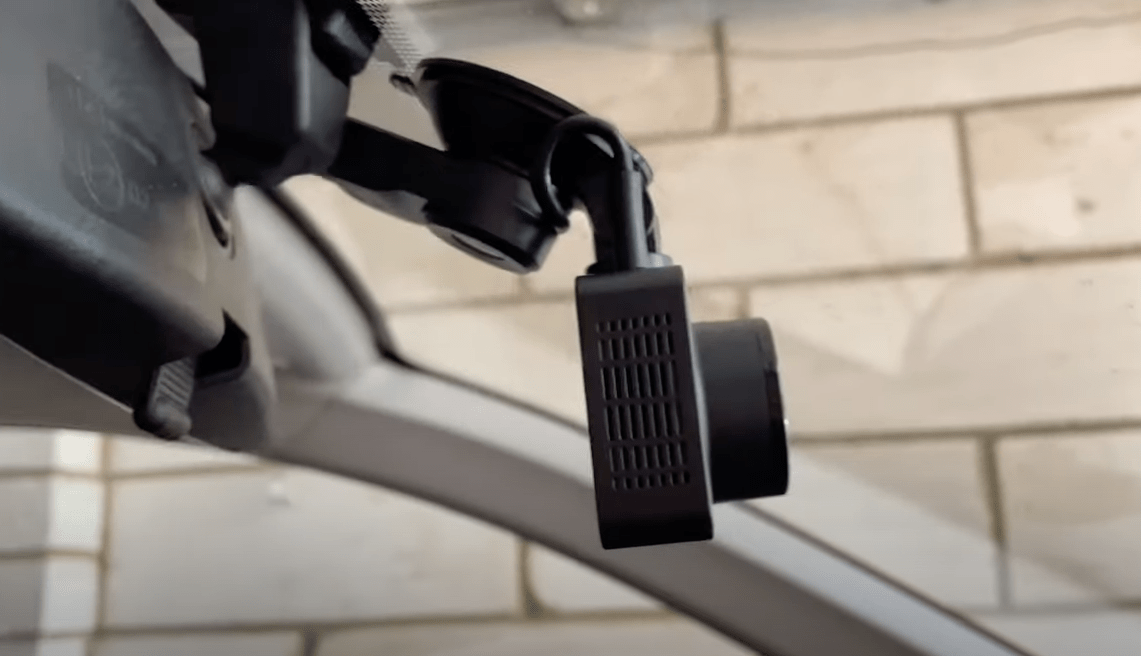
Nexar Beam Dash Cam Review: Verdict and Summary
The Nexar Beam has become a standout device because it effectively solves common frustrations around dash cam memory management, allowing footage to live directly on your phone instead of requiring card readers. In this review, I explain how the app-driven architecture compares to previous hardware like the Apeman C860 and detail exactly what you can expect from using a 12-second-to-a-minute start-up delay while parking mode syncs incidents automatically. Overall the Nexar Beam is the dash cam as it should be because video storage on your phone makes sharing clips with friends, family, or insurance providers incredibly easy without fumbling for readers.
If you appreciate visual guides from our channel and want to see more details in action, please consider checking their official presence online where full walkthroughs often appear. While the Nexar Beam does not yet offer a rear-facing camera option that attaches directly to your windshield, users can look at excellent alternatives such as the Pro model if they specifically need dual-camera setups later down the line.
Nexar Beam Key Features
The standout feature of this unit addresses the hassle of removing memory cards to view data, instead putting video in your palm instantly after a drive. To accompany this primary benefit, you gain access to built-in features including Wifi and bluetooth connectivity that facilitate seamless syncing between hardware and mobile devices. The included 32gb MicroSD card is capable of expanding up to 256gb for users requiring longer loop recording storage without interruption.
The camera records at a crisp 1080p resolution which performs reliably in both daylight and dark conditions thanks to an impressive night mode. Additionally, the device offers wide lens coverage that captures more of your surroundings compared to narrower viewing angles often found on budget competitors.
Auditing files is easy because audio recording functionality tracks conversations or ambient noise alongside video footage stored directly in real-time within your Nexar App ecosystem which you will need for full cloud storage access options available online.
Dash Cam Installation Process
The installation steps are straightforward because the included instructions guide users through connecting to your phone and creating an account via the Nexar App download. You start by downloading that application on a smartphone before mounting the dash cam unit onto your windscreen using standard tools provided with purchase.
Cable management is handled conveniently, though you might find difficulty in cars where textured plastic interiors prevent adhesive clips from holding securely. According to Nexar’s installation time guide of 15 minutes for the mounting phase, my experience suggests this estimate holds true even when factoring in hiding your cable depending on car brand variations.
Dash Cam Everyday Use and Experience
I have used the Nexar Beam dash cam extensively over a full month for every journey taken, including daily commutes to work as well as longer weekend-break trips between locations. After setting up your vehicle initially, you simply enter the car where the device automatically connects and powers on using built-in sensors rather than requiring manual button presses inside your cabin.
While automatic startup happens fast usually taking 30 seconds to a minute for recording initiation after turning off ignition or starting engine, this delay can mean missing the first few moments of specific traffic events if you start moving quickly. To mitigate risks associated with unrecorded footage during that gap between vehicle turn-on and video capture beginning, ensure your app settings are optimized.
Once a journey ends automatically switching parking mode activates so incidents while parked get synced to the Nexar Beam App along with smart clips created when breaking too hard or being in an accident. This means if someone cuts you off behind your car, data gets preserved on memory card first then syncs later for viewing.
One thing about the beam may put people off is having no on-device screen but personally I find this less distracting when driving than other devices which do have built-in displays. If real-time video monitoring or navigation guidance are something you want, these features can be accessed directly within the Nexar App interface.
The app is brilliantly designed and well thought out because everything needed sits there without extra clutter allowing users to browse previous journeys easily. You will also find options inside settings for changing camera preferences including audio on off toggles or adjusting phone memory usage limits so that you do not consume excessive data storage.
Features such as marking where exactly you parked your car ensure context is maintained when reviewing footage later without needing to guess location details. Overall I found the app experience was incredibly seamless compared to competitors requiring additional software or apps for viewing captured clips on mobile devices.
In conclusion regarding my testing, The Nexar Beam dash cam works reliably with great quality results across all conditions tested while providing peace of mind during long commutes as the video lives safely online until synced.

Written by Mark's Tech Blogs
Reviews smart home tech hands-on, in his own house, before it goes on the channel.