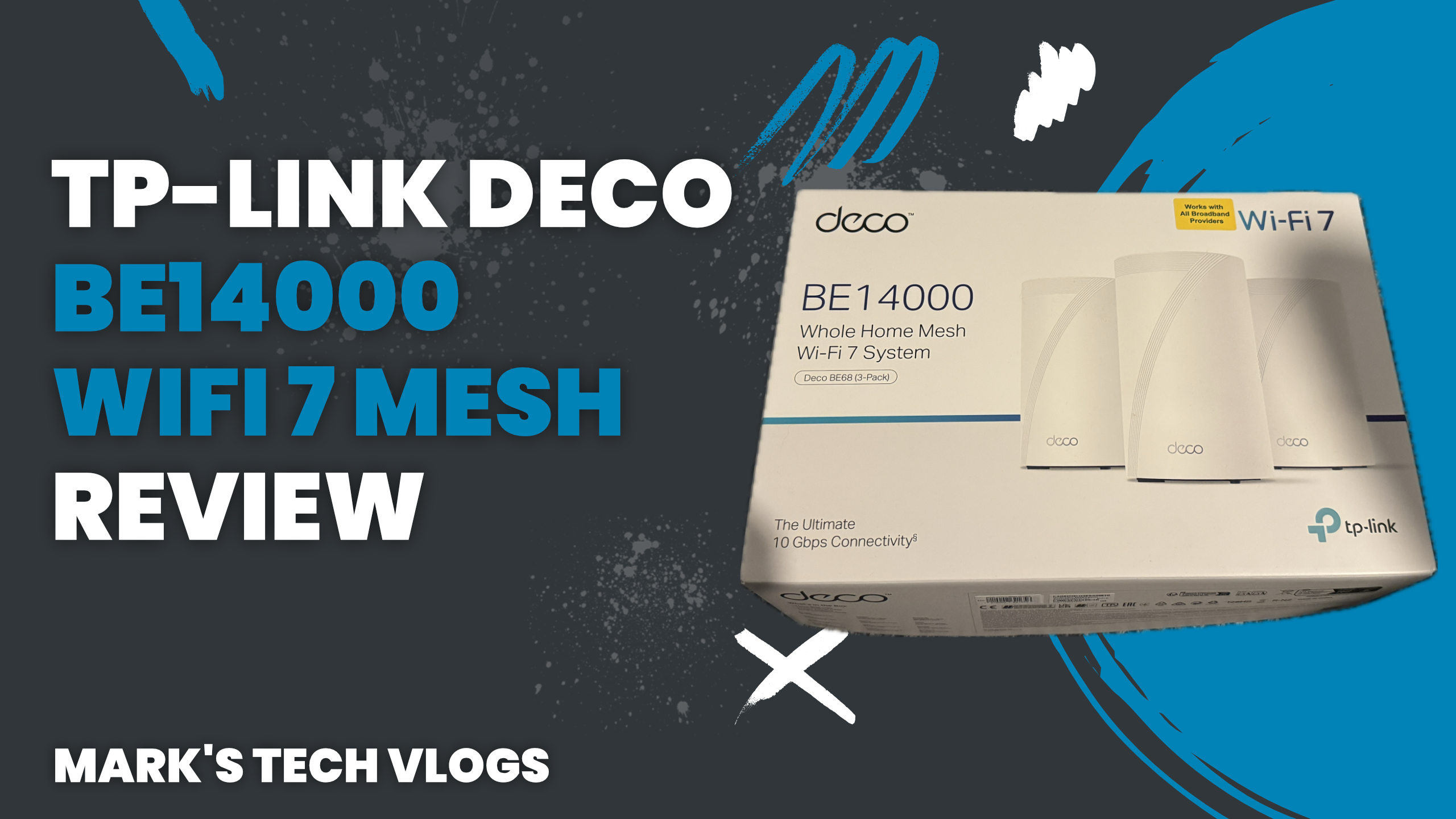
This is my full written review of the TP-Link Deco BE14000, based on extended real-world use as my main home network. This article accompanies my video review on Mark’s Tech Blogs and focuses on the key headlines, real-world performance, and why the TP-Link Deco BE14000 is an excellent choice for modern, device-heavy smart homes.
Real-World Usage and Review Context
Before reviewing the TP-Link Deco BE14000, I previously compared it with the TP-Link Deco BE9300 and published a full review of the BE9300. I used the BE9300 as my primary home network for a month before that review. At the time of recording my TP-Link Deco BE14000 video, I had already been using it for a month, and by the time the review went live, it had been running my home network for close to two months.
The TP-Link Deco BE14000 units were sent to me by TP-Link for review. I did not pay for the hardware, but this is not a sponsored review. TP-Link did not pay for this content and had no input into what I would say before publication.
Price and Available Packs
The TP-Link Deco BE14000 is available as a single unit, a two-pack, or a three-pack. The three-pack currently costs around £850, which is a significant investment. However, pricing is competitive for Wi-Fi 7 mesh systems of this specification, and prices are likely to reduce over time.
AFFILIATE_LINK_BE14000
What’s in the Box
In the three-pack configuration, each TP-Link Deco BE14000 unit includes its own power cable. You also get an Ethernet cable in the box to get your network up and running.
Design and Physical Features
The TP-Link Deco BE14000 has a modern, rounded design that fits well into most homes. The top features discreet ventilation, while the base includes a status light that can be disabled via the TP-Link app.
On the rear of each TP-Link Deco BE14000, you’ll find three Ethernet ports and a USB 3 port. One of the Ethernet ports supports up to 10Gbps, which is ideal for high-speed broadband connections, wired backhaul, or fast local network devices.
Key Specifications and Performance
Speed is the standout feature of the TP-Link Deco BE14000. This is a tri-band mesh system operating on 6GHz, 5GHz, and 2.4GHz bands, allowing newer devices to take advantage of faster frequencies while spreading load efficiently across the network.
- Up to 8647 Mbps on 6GHz
- Up to 4324 Mbps on 5GHz
- Up to 688 Mbps on 2.4GHz
The TP-Link Deco BE14000 supports Wi-Fi 7, making it highly future-proof. Three units can cover up to 8,100 square feet and support up to 200 connected devices, which makes it well suited to large homes and complex smart home setups.
You can connect TP-Link Deco BE14000 units together via Ethernet for maximum reliability, but I have been running them wirelessly with no issues at all.
AI-Driven Mesh and Smart Features
The TP-Link Deco BE14000 uses AI-driven mesh technology, presenting your home as a single network. Devices automatically switch between Deco units as you move around your home, with no noticeable interruptions. Streaming video while walking between rooms remains smooth and uninterrupted.
HomeShield Security and Parental Controls
TP-Link includes HomeShield with the TP-Link Deco BE14000, offering three tiers of protection. The free tier includes router security scans, IoT device identification, access control, device isolation, camera protection, and parental controls such as time limits, bedtimes, and content filtering.
Security+ adds enhanced web and IoT protection for an additional monthly or annual fee, while Total Security expands this further with antivirus software, VPN access, password management, and KidShield for protecting devices outside the home.
I personally found the free tier sufficient for most households and did not feel the need to upgrade.
Setup Experience
Setting up the TP-Link Deco BE14000 is straightforward using the TP-Link app. When setting up the BE9300 previously, this involved creating an account, scanning a barcode on the main unit, and letting the app automatically detect additional Decos.
For the TP-Link Deco BE14000, I used the replace feature to swap out older Deco units. Replacing the main Deco did not work perfectly at first, but adding the units as new Decos and then switching them proved to be the most reliable method.
I did need to restart my Virgin Media router, which runs in bridge mode, to restore internet access, but overall the setup process was smooth and quick.
Everyday Performance and Speed Tests
Compared to my previous Eero 6 setup, three things stood out immediately with the TP-Link Deco BE14000.
- Streaming does not buffer, even on Apple TV and YouTube.
- Smart home devices connect instantly, including 2.4GHz-only devices, without needing to disable other bands.
- Smart camera video feeds load noticeably faster.
Speed tests show consistent performance whether connected to the main Deco or a secondary unit. Results closely match the Deco app’s built-in speed tests. As expected, speeds drop slightly in the garden or at extreme range, but overall performance remains strong.
Even under stress testing with multiple users streaming, downloading large files, and uploading content, the TP-Link Deco BE14000 remained stable and responsive.
App Management and Controls
Managing the TP-Link Deco BE14000 through the app is simple and intuitive. You can rename devices, assign devices to specific bands or Deco units, set static IP addresses, and manage parental controls with ease.
The app includes a useful search feature to quickly locate specific settings. More advanced app features are covered in my other Deco videos for those wanting a deeper dive.
TP-Link Deco BE14000 vs Deco BE9300
Performance speeds between the TP-Link Deco BE14000 and the Deco BE9300 are broadly comparable in most real-world scenarios. The BE14000’s key advantages are its higher overall capacity, Wi-Fi 7 support, and more future-proof feature set.
AFFILIATE_LINK_BE9300
Any Downsides?
The biggest downside of the TP-Link Deco BE14000 is the price. That said, it is competitively priced for its specifications and offers excellent longevity. For most users, this is a system you are unlikely to need to upgrade for many years.
Final Verdict
If you’re looking for a reliable, expandable mesh system to power a demanding smart home, the TP-Link Deco BE14000 is an excellent choice. It delivers strong performance, excellent stability, fast wired and wireless speeds, and future-proof Wi-Fi 7 support.
While the price is high, the overall experience justifies the investment. If you want a more affordable alternative, the Deco BE9300 remains a strong option, but for those wanting the best long-term solution, the TP-Link Deco BE14000 is easy to recommend.