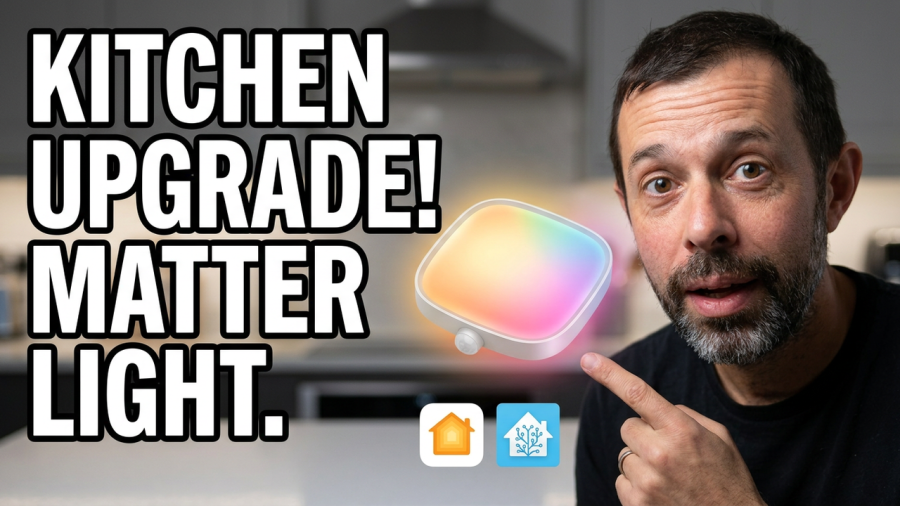
I’ve had the Govee LED Ceiling Light fitted in my kitchen for about a year now. I bought it with my own money, and it’s earned its place. It’s bright, it’s cheap, and because it’s Matter compatible it’s one of the best affordable ceiling lights you can get if you use Apple Home or Home Assistant.
Here’s what it’s like to live with, including the setup, the automations I run it with, and the couple of things worth knowing before you buy.
Govee LED Ceiling Light review: the quick verdict
- Price: around £40 to £45
- Best for: kitchens and other rooms that need a lot of light
- Works with: Matter (Apple Home, Home Assistant), Alexa, Google Home and SmartThings
- What I liked: very bright whites, quick to respond, solid reliability over a year
- What I didn’t: you have to set it up in the Govee app first, and the effects and music sync stay locked to that app
Design
The Govee LED Ceiling Light comes in a round version and a square version, and both cost around the same. Mine is the square one. It has softly rounded corners, a subtle LED ring around the edge and the main light panel in the middle.
It looks best against a white ceiling, where it blends in rather than standing out. Overall it’s a clean, modern looking light that doesn’t scream “smart home gadget”, which is exactly what I wanted in a kitchen.
Specs and features
For a light at this price, the spec sheet is better than you’d expect:
- Brightness: up to 2400 lumens, which is genuinely very bright
- White temperature: adjustable from a warm 2700K up to a cool 6500K
- Colour: RGBIC, so it can show more than one colour at a time
- Music mode: built in, for syncing the light to whatever you’re playing
- Safety: made from flame retardant materials
- Smart home support: Matter, plus Alexa, Google Home and SmartThings
- Connectivity: 2.4GHz Wi-Fi, with Bluetooth used for the initial setup from your phone
You get pretty much everything you need in the box, including screws and wire connectors, so there’s no extra trip to the shops before fitting it.
Installation and setup
Wiring it up
First things first: if you don’t know what you’re doing with mains wiring, get a qualified electrician to fit it. It’s not worth the risk.
In my case it was an easy swap. The Govee LED Ceiling Light replaced another Apple Home compatible light I’d already installed, so it was just a case of moving the live and neutral across. That earlier light had itself replaced an old ceiling rose with several cables, including an earth, and I’d had an electrician tidy that up and add a junction box at the time. If your ceiling looks like that, an electrician is the way to go.
Pairing it in the Govee app
Even though it’s a Matter light, you’ll need to add it to the Govee app first. Open the app, tap the plus button and follow the instructions. Mine was found straight away and added in no time. You’ll give it a name and connect it to your Wi-Fi, and that’s the main setup done.
Adding it to Apple Home or Home Assistant with Matter
To get it into Apple Home, Home Assistant or another Matter platform, go into the light’s settings in the Govee app and find the Matter option. That gives you what you need to add it to the app of your choice.
While you’re in there, turn on power off memory. This makes the light go back to its last state after a power cut, rather than doing its own thing when the electricity comes back on.
Using the Govee LED Ceiling Light day to day
The Govee app
The Govee app is where you’ll find the most options. It’s where you can play with the lighting patterns and switch on music sync. They’re fun features, but I’ve always found that sort of thing a bit gimmicky on a ceiling light.
I’d also much rather control all my lights from one place, which is what Matter and Apple Home let me do. To be honest, I open the Govee app so rarely that I had to sign back in just to write this review.
Automating it with a presence sensor
Most of the time I don’t touch the light at all. I pair it with an Aqara FP300 Presence Sensor, which is battery powered and very responsive. The kitchen light comes on when I walk in and goes off when I leave.
Because it’s a presence sensor rather than a basic motion sensor, it knows I’m still there when I’m standing still chopping vegetables, so the light doesn’t switch off on me mid-prep. I’ve also set it up so the light only comes on when the room is dark enough to need it.
Thanks to Matter, I’ve run these automations first in Apple Home and later in Home Assistant, and both have been reliable and consistent.
Colours in Apple Home and Home Assistant
I don’t use the colours much in everyday life, but when I’ve played with them they’re bright and there’s a good range. The bit that matters more in a kitchen is the white light, and it’s very bright, which is exactly what you want in a room where you’re cooking and need to see properly.
Just bear in mind that the patterns, effects and music sync live in the Govee app. Apple Home and Home Assistant handle the everyday stuff, but if you want the fancier modes you’ll be going back to Govee’s app.
Reliability
Reliability is where cheap smart lights often fall down, so this was the part I cared about most. In all the time I’ve had it, the light has dropped offline once. Flicking the wall switch off and on again sorted it straight away. Apart from that one blip it has just worked, every day, which is all you can ask of a kitchen light.
Downsides
No product is perfect, and there are two things worth knowing about.
- You have to go through the Govee app first. You can’t add it straight into Apple Home or Home Assistant out of the box. This is common with Matter lights, and unless you want the patterns or music features you’ll rarely need the app again after setup.
- No LAN control. This isn’t one of the Govee products that supports LAN control, so you can’t trigger its effects through a local API. If you’re a Home Assistant user hoping to automate the fancy effects, that’s worth knowing.
Verdict: is the Govee LED Ceiling Light worth it?
For me, yes. The Govee LED Ceiling Light is bright, responsive and works well with Apple Home and Home Assistant through Matter. It’s also one of only a few smart ceiling lights I’ve found that’s listed as suitable for a kitchen, and at around £40 to £45 I think it’s good value.
The main question to ask yourself before buying is whether you want the light effects and music sync. If you do, you’ll be using the Govee app for those. If, like me, you mostly want a bright, dependable light that slots into your existing smart home, it’s an easy recommendation.
Frequently asked questions
Does the Govee LED Ceiling Light work with Apple Home?
Yes. It’s Matter compatible, so once you’ve set it up in the Govee app you can add it to Apple Home using the Matter option in the light’s settings.
Does the Govee LED Ceiling Light work with Home Assistant?
Yes, through Matter. I’ve run my presence sensor automations in Home Assistant and they’ve been reliable. It doesn’t support LAN control, though, so you can’t run its effects through a local API.
Do I need the Govee app?
You need it for the first setup and to get the Matter details. After that you only need it for the lighting patterns, music sync and settings like power off memory.
How bright is it?
It goes up to 2400 lumens, which is plenty for a kitchen. You can also adjust the white from warm 2700K to cool 6500K.
Can I fit it myself?
If you’re confident and competent with mains wiring, the fixings and connectors are in the box. If you’re not, or your ceiling has an old rose with several cables, get an electrician to do it.
