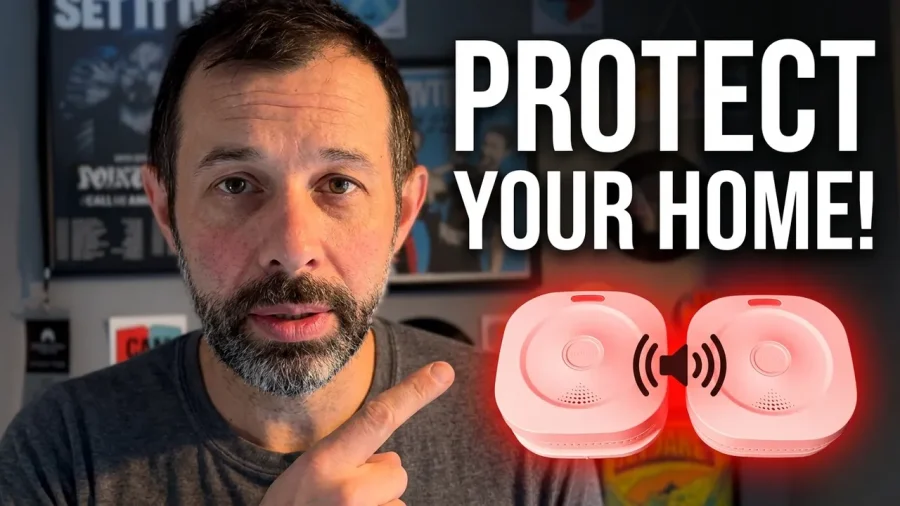
A few months ago I reviewed the Sensereo MSC-1, a Matter over Thread smoke and carbon monoxide alarm, and I was really impressed with it. Sensereo has now released the Sensereo MS-1 Interlink, a smart smoke alarm built for homes that need more than one. I’ve been running a pair of them in my house, connected to both Apple Home and Home Assistant, and this is how I’ve found them.
What is the Sensereo MS-1 Interlink?
The Sensereo MS-1 Interlink is a Matter over Thread smart smoke alarm that costs around $50. Its main selling point is in the name. If you have several of them on the same Thread network, they link up with each other automatically. When one goes off, they all go off. That applies to testing too, so pressing the test button on one alarm sets off every alarm in the house.
That matters because a smoke alarm in the kitchen isn’t much use if you’re asleep upstairs with the door shut. With interlinked alarms, everyone hears it wherever the fire starts.
Sensereo MS-1 Interlink Specifications
Matter over Thread compatibility
Because it uses Matter over Thread, you don’t need an extra hub from Sensereo. It works with whatever you already use as your smart home hub. That includes:
- Apple Home
- Home Assistant
- Homey
- SmartThings
Google Home and Alexa aren’t listed on Sensereo’s website. However, both platforms support Matter, and Sensereo has confirmed to me that they do work with it.
You also don’t have to use the smart features at all. If you never pair them with an app, they still work as normal interlinked smoke alarms, which is a nice option to have.
Battery and lifespan
Inside there are two batteries. There’s a replaceable CR123A battery that powers the connectivity, and a sealed 7-year battery that powers the alarm itself.
That sealed battery means you’ll need to replace the whole alarm after 7 years. Sensereo recommends doing that even if it still seems to be working at that point, and I’d follow that advice. Smoke sensors degrade over time.
Alarm volume and certification
When it detects smoke you’ll get a notification through your smart home app, but it also has a proper siren that’s over 85dB at a distance of 3 metres. It’s also certified to EN 14604, the European standard for smoke alarms, so it meets the safety requirements you’d expect.
Photoelectric smoke sensor
The Sensereo MS-1 Interlink uses an advanced photoelectric sensor designed to pick up smoke particles at an early stage. In practice, that means it should raise the alarm before a fire has properly caught and flames are visible.
Design and What’s in the Box
It’s fairly small compared to a lot of smoke alarms, with a rounded square shape, a status light and a single button on the front. It looks like a smoke alarm, which is probably what most people want. It isn’t trying to be a design piece on your ceiling.
In the box you get:
- The Sensereo MS-1 Interlink alarm
- A mounting bracket for walls or ceilings
- Screws and wall plugs
Setting Up the Sensereo MS-1 Interlink
Setup is really easy. You pull out the battery tab and then pair the alarm with your Matter app of choice. I used Apple Home first and it paired without any problems. After that you give it a name and assign it to a room.
To get them into Home Assistant as well, I put the alarms into pairing mode from Apple Home and then added them through the Matter integration in Home Assistant. During pairing, Home Assistant looked like it had timed out. It was only when I went back into the Matter section that I saw they had actually been added. I got exactly the same thing with another manufacturer’s device, so this looks like a Home Assistant quirk rather than a Sensereo issue.
Once they’re paired, the last step is to mount them wherever you want them.
Using It in Apple Home and Home Assistant
Apple Home
Apple Home keeps things simple. You can see whether smoke has been detected, the battery level and whether the alarm is active.
Home Assistant
Home Assistant gives you a lot more to work with. The two features I found most useful are:
- A test button entity. You can use this in automations to test your alarms on a schedule, so you never forget to do it.
- Sensitivity adjustment. This is handy if you have an alarm near the kitchen and a habit of burning the toast.
Testing the interlink
Thankfully I haven’t had a fire, but you can check the interlink works by running a test. Press the button on one alarm and both of mine sounded. You can do this manually or automate it in Home Assistant, which is what I do now.
The light on the front also changes colour if something needs attention, such as a low battery.
Does It Actually Detect Smoke?
The alarm is loud, but the real question is whether it works. Because of the sensors Sensereo uses, these alarms are hard to test properly without making a lot of smoke, and I didn’t want to fill my house with it. So I bought a smoke alarm tester aerosol, which is designed for exactly this.
It worked. One alarm detected the test spray and both alarms sounded straight away, which is exactly what you want if people are asleep in different rooms.
Smoke alarm automations
Because they’re smart devices, you can build automations around them. I’ve set one up that turns on every light in the house when a smoke alarm goes off. If there’s a fire and the power is still on, that helps you see a way out, and it makes sure everyone is properly awake.
Sensereo MS-1 Interlink: Pros and Cons
Pros
- Interlinks automatically with other alarms on the same Thread network
- Works with Apple Home, Home Assistant, Homey, SmartThings, Google Home and Alexa
- No extra hub needed
- Still works as a normal interlinked alarm if you don’t pair it
- EN 14604 certified with an alarm over 85dB
- Test button and sensitivity controls in Home Assistant
- Easy to set up
Cons
- More expensive than standard interlinked smoke alarms
- 7-year lifespan, where some alarms last 10 years
- No carbon monoxide detection, unlike the Sensereo MSC-1
Verdict: Is the Sensereo MS-1 Interlink Worth It?
The Sensereo MS-1 Interlink costs more than a basic set of interlinked smoke alarms, but I think the smart features are worth paying for. It works, it has the right safety certification and it has stayed connected to both Apple Home and Home Assistant without any drama.
The downsides are the 7-year lifespan, which is shorter than some alarms that last 10 years, and the lack of carbon monoxide detection. If you want both in one device, the Sensereo MSC-1 is still the one to look at.
If you’re after a Matter over Thread smart smoke alarm, though, the Sensereo MS-1 Interlink is the best one I’ve used.
Got any questions about it? Leave them in the comments below and I’ll do my best to answer.
