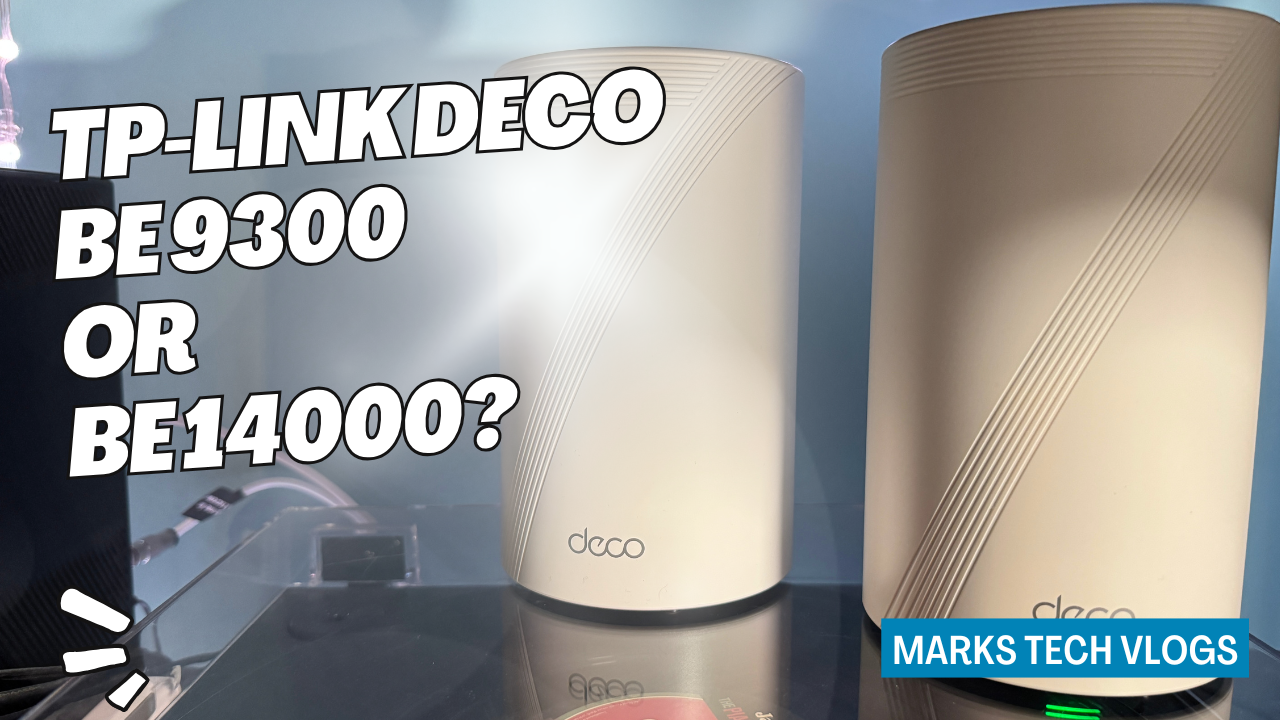
Preliminary Verdict
In this detailed comparison on Mark’s Tech Blogs, I am looking at two of TP-Link’s latest Wi-Fi 7 mesh router systems: the TP-Link Deco BE9300 and the TP-Link Deco BE14000. While both aim to deliver fast, reliable whole-home Wi-Fi for your residence, they sit at different price points and offer slightly different specs tailored to various home sizes. Both systems support essential security features like Security+, allowing you to connect existing services from providers such as NordVPN or PureVPN directly through the firmware without needing separate subscriptions if preferred.
While I received both units for review, this content is not sponsored, and TP-Link did not influence my assessment of these specific routers. The following article focuses on comparing the Deco BE9300 against the Deco BE14000 to help you decide which Wi-Fi 7 mesh system is right for your home based on real-world performance.
About This Review
I did not pay for these products, but I want to be transparent: this review content has been spread out over time as I am not a full-time router reviewer here at Mark’s Tech Blogs. For my personal testing period, I used the TP-Link Deco BE9300 as my main home Wi-Fi solution for around a month before switching entirely to the TP-Link Deco BE14000, which is currently serving daily mesh duties in my setup.
What You Get In The Box
The primary difference immediately visible upon unboxing relates to how many units come with each kit pack. Both the TP-Link Deco BE9300 and the TP-Link Deco BE14000 are available as packs of one, two or three Deco units depending on the size of your home and specifically how much coverage you need for a particular layout.
The Hardware Differences
The packaging content varies slightly by model. The TP-Link Deco BE9300 ships with specific hardware components designated as Deco BE65 units, whereas the TP-Link Deco BE14000 arrives with more robust Deco BE68 units designed for higher throughput.
In each box you will find the standard Deco units along with their power adapters and at least one Ethernet cable so you can connect your main router to a nearby modem or network gateway during setup. This includes essential items like cables required for backhaul connections without needing additional purchase from third-party sellers immediately after unboxing.
Ecosystem Compatibility
One of the significant strengths of the Deco ecosystem is that different models are generally compatible with each other within a single network structure. That means you can upgrade an existing TP-Link Deco setup gradually by adding a newer Deco unit and making it your main node instead of requiring a total replacement.
The app does offer a feature to swap your main Deco manually in software, but I found during the transition from BE9300 to BE14000 that there is more reliability when switching hardware. My recommended workflow was to add the new unit first, set it as the main node within the app interface using Wi-Fi connection for setup, and then physically move the Ethernet cable from the old main Deco location over on top of a switch.
Pricing And Subscriptions
The cost difference between models can be significant depending on whether you buy single units or three-packs required for larger homes. Prices will vary slightly based on where you shop, but RRPs and typical retail pricing at the time of writing look roughly consistent with current market standards.
Pricing Breakdown
TP-Link Deco BE9300:
The RRP sits around £600 for a three-pack, often available closer to £460 on popular retailers. You can find these units discounted frequently during seasonal sales or promotional periods from standard tech stores.
Pricing Breakdown
TP-Link Deco BE14000:
This unit is expected to be around £700 initially, and likely to drop towards the £500 mark over time with extended availability. The pricing gap narrows significantly if you are comparing against long-term value or finding clearance deals on older stock.
Subscription Services
In addition to hardware costs for a complete kit, there are optional subscription services that add extra security and privacy features which users must consider when budgeting for the first year. Both systems support identical feature sets regarding these cloud-based protections:
Security+
This tier runs around £4.99 per month or roughly equivalent to £35 if you prefer an annual billing cycle, with a 30-day free trial available for testing purposes first.
Total Security Package
The Total Security Package comes at approximately £70 total cost for the first year of ownership before rising up towards about £130 per subsequent term. This bundle expands beyond just security monitoring into broader utility tools:
- iPad Antivirus protection added to Windows, macOS and Android devices.
- Infinite VPN usage for all your personal connections without data cap limits from the service provider directly.
- Password management tools integrated into the interface for storing credentials securely across browsers.
- ID monitoring alerts to check if personal information appears on any dark web databases before theft occurs publicly.
Detailed Security Reports Inside App
The Security+ add-on provides IoT protection, web filtering for blocked content, intrusion prevention against known botnet attacks and more detailed security reports that appear inside the Deco dashboard regularly. These are useful if you run a smart home ecosystem with many devices connected.
Additional Software Options
If you already pay separately for external VPN services from providers like NordVPN, Surfshark or IPVanish directly via their own apps, connecting those existing subscriptions to both the BE9300 and BE14000 allows unified management. It is also worth noting that this works if you use a custom OpenVPN server setup instead of commercial vendors.
Is The Subscription Worthwhile?
If your budget stretches specifically towards purchasing only one model, the BE9300 will offer similar functionality but lower upfront cost. If it is worth buying depends on how much value you place on the extra security features compared to paying separately for antivirus software elsewhere.
Wireless Performance And Specs
The biggest physical difference between these two models lies in their internal chipset capabilities and antenna configurations which determine wireless throughput. Both systems support key Wi-Fi 7 technical advancements such as Multi-Link Operation (MLO), full backwards compatibility with older TP-Link Deco units using previous standards like Wi-Fi 6, and AI-based algorithms that help optimise roaming between nodes automatically.
Deco BE14000 Wireless Specs
This model delivers tri-band performance rated up to a theoretical maximum of 14 Gbps total throughput across all bands combined. Specifically, the 8-stream Wi-Fi architecture can achieve peak speeds on modern devices as follows:
- Up to 8647 Mbps on 6 GHz band only.
- Up to 4324 Mbps on standard 5 GHz spectrum usage.
- Upto 688 Mbps capacity available for legacy devices using 2.4 GHz signal range.
Deco BE9300 Wireless Specs
The second generation units offer a lower peak throughput ceiling but still maintain the same feature set regarding MLO and channel bonding:
- Tri-band up to 9.3 Gbps total.
- Up to 5765 Mbps max speed on 6 GHz band usage specifically.
- Upto 2882 Mbps achievable via standard Wi-Fi 5 GHz frequency range availability.
- Maintains 688 Mbps capacity on the crowded 2.4 GHz spectrum for older IoT devices.
Google Home And Alexa Integration
Both units integrate directly with voice assistants from Google and Amazon, which helps control smart lights or cameras via Wi-Fi network status rather than just local hubs. They are also compatible over the standard 200+ devices supported per single SSID without performance degradation.
Coverage Estimates
Ratings provided by TP-Link generally assume ideal conditions in a new build home, so real-world results may vary depending on where you position them and wall construction quality. The BE9300 (three-pack) is rated to cover roughly 4600 sq ft over two floors. In contrast the BE14000 three-pack covers up to approximately 8100 sq ft spread across 3 full levels of living space.
Coverage Reality Check
If you stream a lot of high-quality video over your network, run multiple gaming consoles simultaneously or work with large files daily over the Wi-Fi connection frequently, the extra throughput headroom provided by the Deco BE14000 will be more appealing despite higher cost. That said, for many households in smaller apartments where speeds are limited anyway, both models function adequately enough to perform your everyday tasks.
Ports And Wired Connectivity
The biggest physical difference between these two mesh systems is found inside the Ethernet port configuration located on each wall-mounted unit. The BE9300 utilizes Deco units that feature four Gigabit Ethernet ports available per hardware device for wired backhaul or desktop connections.
Final Notes On Ports
This setup allows connecting your smart home security cameras, NAS drives and gaming consoles without forcing them to rely exclusively on wireless traffic which can congest the 5GHz band. If you have a lot of wired devices like PCs with Ethernet cards or older printers requiring cabled network access then this design is ideal for reducing latency issues during peak usage hours.
Purchase Decision
The choice essentially comes down to how much space you want protected versus the budget available right now. If you do not have a dedicated 3rd floor room or require massive throughput speeds, either system works fine depending on whether your specific network needs are being met with current traffic volume in each zone.
Contacting Support
You can find troubleshooting guides for both models directly via the user manual downloaded after purchase. Both units run firmware updates automatically so older bugs will be patched without needing external maintenance from IT staff or service calls unless warranty claims arise later on hardware failure specifically related to physical damage not software.
Frequently Asked Questions
Does TP-Link Deco BE14000 come with better antennas?
The design is more internal but optimized for the higher frequencies required by Wi-Fi 7 standards compared to previous models.
Purchase Recommendations And Final Notes
You should choose based on home size requirements first rather than just buying faster hardware you may not actually need. The BE9300 remains a very capable entry point for smaller families who want modern speeds without needing the latest Wi-Fi 7 standards exclusively yet.
Closing Thoughts
I hope this detailed breakdown helps clarify exactly which model fits your network needs and budget range best right now. Both units are solid choices if you upgrade an older mesh system from a previous generation like AC or AX series to gain access to the newer Wi-Fi 7 speeds available on compatible devices.
